- Why Do Instagram Comments Matter More Than Ever ?
- Understanding Instagram Comment Behavior :
- Turn Comments into Conversions with the Right Strategy :
- Types of Comment and how to Respond :
- When to Respond Personally vs. When to Automate ?
- Best Practices for Instagram Comments Automation :
- Using Botbuz Chatbot for Instagram Comment Automation :
- FAQs :
Why Do Instagram Comments Matter More Than Ever ?
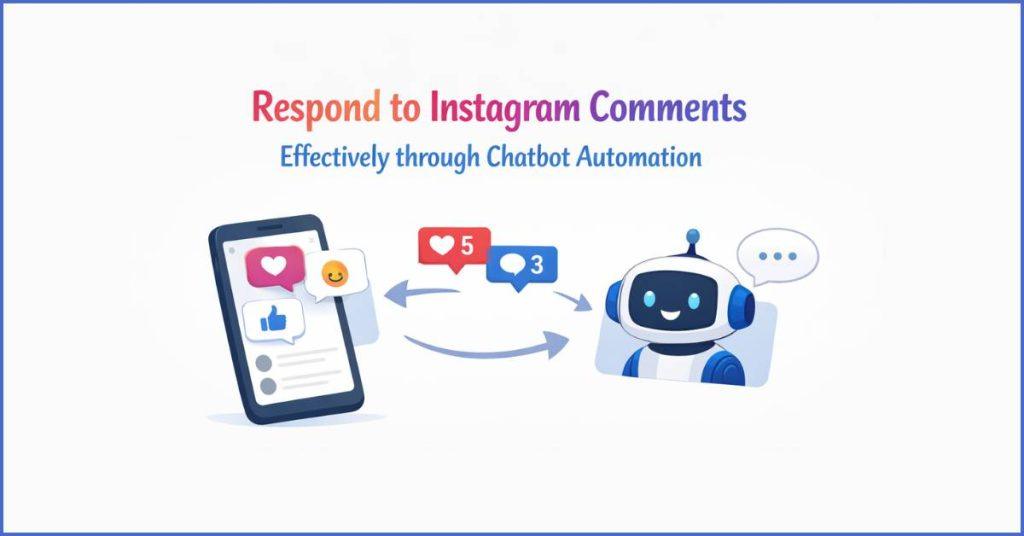
Instagram comments have replaced likes. It is the platform’s most vital metric. They signal deep, active engagement rather than passive scrolling. For the algorithm, a busy comment section is a green light. It helps to promote content to a wider audience, while for users, it serves as a live transparency report. Brands that jump into the conversation build immediate trust & “social proof”. It effectively turns their comment section into a high-converting customer service hub. To stay relevant without burning out, the modern strategy involves using AI to handle routine questions. It saves human creativity for genuine, emotional connections.
Understanding Instagram Comment Behavior :
Instagram comments generally fall into four categories. 1) high-intent questions that act as sales leads. 2) compliments that provide social proof. 3) complaints that test brand transparency. 4) spam that requires active filtering. Modern followers have high standards for these interactions. They expect a “human” tone rather than corporate scripts & a rapid response time. It is often within two hours. By treating the comment section as a public customer service desk, brands don’t just solve individual problems; they demonstrate their reliability to every potential customer watching the conversation unfold.
Turn Comments into Conversions with the Right Strategy :
The most successful brands treat comments as micro-conversations. It functions like a digital sales floor rather than just a tally for the algorithm. Every comment is a chance to move a follower closer to a purchase. It provides fast, relevant replies, you signal to both the user & the algorithm that your content is high-value. Thus, in turn it boosts visibility & deepens buyer intent.
To truly win, the response strategy must align with business goals. Whether that means using “link-in-bio” automation for sales inquiries or personalizing replies. It helps to build long-term brand loyalty that drives repeat customers.
Types of Comment and how to Respond :
Responding to an Instagram comment is about matching energy to the user’s intent. For compliments, the goal is to show genuine appreciation. While a “heart” emoji works for casual praise. It adds a personalized detail that makes the follower feel seen. When users reply to prompts, keep the momentum going by asking a follow-up question. It helps to keep the conversation & the algorithm active.
Handling questions and complaints requires a shift to professional empathy. It prioritizes clear, accurate answers publicly to build trust, but moves sensitive or complex issues to DMs to protect user privacy. For mentions & tags, a public “thank you” or a repost acts as powerful social proof. It signals that the brand is active & valued by the community.
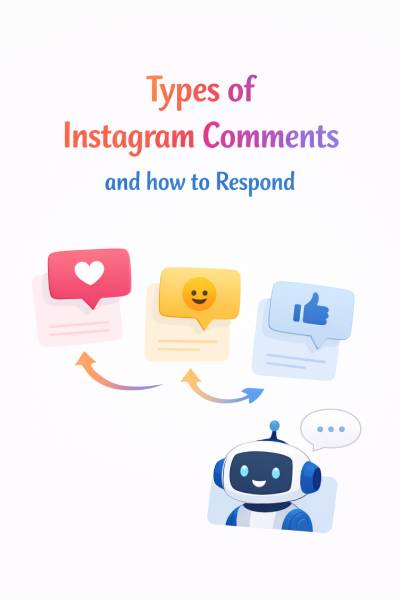
Finally, protecting “vibe” is crucial. Spam and bot comments should be hidden or deleted immediately. It helps to keep the page professional, while emoji-only comments only need a light, friendly acknowledgment. By tailoring response to the specific type of interaction, business ensures that the brand feels human, responsive & worth following.
When to Respond Personally vs. When to Automate ?
The key to scaling an Instagram presence is a hybrid approach. It uses automation for efficiency and manual effort for depth. Smart automation is best reserved for high-volume, repetitive tasks. It includes running contests, answering common pricing questions, or instantly sending product links via DM. Thus, ensuring that brand remains responsive 24/7 without burning out your team.
Conversely, personal responses are essential for sensitive customer service issues, complex inquiries & high-value relationship building where a robotic tone could damage trust. By automating the routine while personally handling the nuanced, business maintains the “human heart” of the brand. It captures every possible lead the moment it appears.
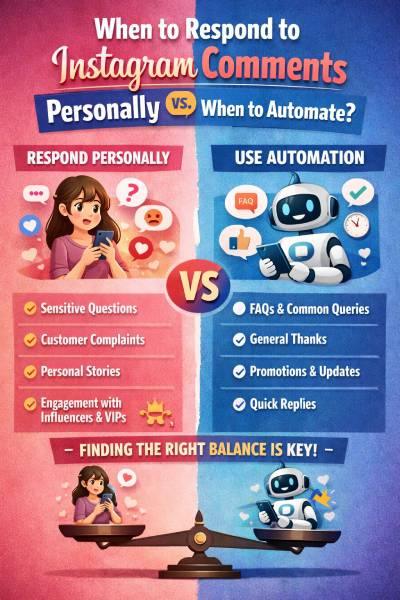
Efficiency vs. Authenticity :
|
Scenario
|
Use Manual
|
Use Automation
|
|---|---|---|
|
A customer is angry about a late order
|
✅
|
❌
|
|
Running a "Comment to Win" contest
|
❌
|
✅
|
|
A fan leaves a thoughtful review
|
✅
|
❌
|
|
Answering "Where is the link?"
|
❌
|
✅
|
|
Responding to an influencer's shoutout
|
✅
|
❌
|
Best Practices for Instagram Comments Automation :
To make automation feel authentic, businesses must prioritize variety and conversational warmth over rigid, repetitive scripts. This involves using “message rotation” so the same reply isn’t used twice. Also keeping the tone casual & emoji-friendly. It helps to match the platform’s vibe, and intentionally leaves space for human staff to handle nuanced interactions. By adding short delays to automated replies and testing them for a natural “flow,” business can ensure that technology supports the brand’s personality rather than replacing it. Thus, maintaining high efficiency without sacrificing the personal connection which the followers expect.
Automation Should Enhance the Brand, Not Replace It :
The most successful brands treat automation as a support system. It clears the “digital clutter,” allowing the team to focus on meaningful work rather than a replacement for human connection. To maintain a cohesive brand voice, the automated scripts must be written with the same personality, humor & vocabulary as manual replies. It ensures a seamless experience for the follower. Ultimately, the winning formula is smart automation plus human intent. It uses technology to ensure no comment goes ignored, but uses the human heart to ensure every interaction feels valued. Thus, resulting in a stronger, more loyal community.

Using Botbuz Chatbot for Instagram Comment Automation :
Botbuz acts as a powerful bridge between casual engagement and structured sales by automating the “Comment-to-DM” pipeline while remaining compliant with Meta’s official APIs. Using its drag-and-drop builder, brands can set specific keyword triggers—such as “INFO” or “SHOP”—that prompt the bot to instantly leave a public reply for social proof and send a private message to lead the user toward a purchase.
The platform’s ability to randomize responses and filter out spam helps maintain a clean, high-quality comment section, while its “Live Chat Handoff” ensures that complex or sensitive inquiries are instantly flagged for a human team member. This creates a seamless, 24/7 support system that captures every lead without losing the personal touch required to build brand loyalty.
Conclusion :
The choice between manual and automated engagement is no longer an “either-or” scenario, but a strategic partnership. The most effective Instagram strategy uses Botbuz to handle the heavy lifting of instant, high-volume interactions—like distributing links & answering routine FAQs—ensuring that brand is always active and the algorithm remains fed. By allowing automation to manage the routine, you preserve your human energy for the nuanced, high-stakes conversations that truly build trust & community.
Ultimately, the fusion of Botbuz’s efficiency and your authentic intent creates a responsive, professional, and deeply human presence that turns casual commenters into loyal customers.
FAQs :
- Will using Botbuz get my Instagram account banned?
No, provided you use it correctly. Botbuz is built on Meta’s official Messenger API, which means it follows Instagram’s approved rules for automation. Bans typically happen when users use “grey-hat” bots that require your password or “scrape” the app. As long as you are responding to people who have interacted with your content first, your account remains safe.
- Does the 2026 algorithm penalize automated comments?
The algorithm doesn’t penalize automation itself; it penalizes low-quality engagement. If your bot sends the exact same “Thanks!” to 500 people, Instagram may flag it as spam. However, if you use Botbuz’s Randomizer feature to vary your replies and keep them relevant to the post, the algorithm sees “high activity,” which actually helps boost your reach.
- Can I use Botbuz to automatically send links in DMs?
Yes, this is its most powerful feature. You can set a Comment-to-DM trigger so that when someone comments a keyword like “SHOP” or “LINK,” Botbuz instantly sends them a private message with the URL. This captures the lead while their interest is at its peak, significantly increasing conversion rates compared to a standard “link in bio.”
- How do I make sure my bot doesn’t sound like a robot?
The secret is “Personality Mapping.” Within Botbuz, you should write your replies using your brand’s specific voice—use the same emojis, slang, and sentence structures you use when posting manually. Additionally, adding a 3-5 second delay to the bot’s response makes the interaction feel more like a natural human reaction rather than an instant computer trigger.
- What happens if someone leaves a complaint? Should the bot handle it?
You should never let a bot handle a sensitive complaint. The best practice is to set up a “Keyword Filter” in Botbuz. If a comment contains words like “broken,” “late,” or “scam,” the bot should stay silent and instead send an Internal Notification to your team. This allows a human to step in immediately with the empathy required to solve the issue.
- Can I automate replies to my Instagram Reels and Stories too?
Absolutely. In 2026, Reels drove the most discovery. Botbuz allows you to set triggers for comments on static posts, Reels & even mentions in Stories. This ensures that no matter where a potential customer discovers you, they receive an instant, helpful response that pulls them deeper into the sales funnel.
- Do I need to be a coder to set up Botbuz?
Not at all. Botbuz uses a Drag-and-Drop Flow Builder. You don’t need to write a single line of code; you simply connect “blocks” (Trigger -> Condition -> Action) to create conversation. Most brands can have their first “Comment-to-DM” automation live in under 15 minutes.