- Businesses Shifting to WhatsApp Business Web :
- WhatsApp Business Web : The Desktop Tool for Business
- Key Features Offered by WhatsApp Business Web :
- How to Set Up WhatsApp Business Web?
- How To Use WhatsApp Business Web Effectively ?
- Automating Customer Communication on WhatsApp Business Web :
- Integrating WhatsApp Business Web with Other Tools :
- WhatsApp Web or Desktop? Here’s How They Differ
- What Makes the WhatsApp Business App Useful?
- Advantages of Using WhatsApp Web :
- Improve Your Communication with Botbuz in WhatsApp Business Web :
- Future of WhatsApp Business Web :
- Keeping WhatsApp Web Chats Secure :
Businesses Shifting to WhatsApp Business Web :
WhatsApp Business Web has revolutionized modern business communication. It allows companies to connect with customers instantly & personally on their preferred platform. It is becoming essential because it provides desktop efficiency. It also provides the scalability required for high volumes of communication. Thus, moving beyond the limitations of the single-user mobile app. Businesses are shifting to this web-based solution. It helps to empower their teams with a shared inbox, automated quick replies, and better integration with systems like CRM. Thus, enabling more efficient management of customer conversations, better coordination among staff. It significantly improves customer experience.
WhatsApp Business Web : The Desktop Tool for Business
WhatsApp Business Web is the desktop interface. It is designed for the WhatsApp Business mobile app. Also it allows companies to manage customer communication efficiently on a computer screen. Businesses prefer it over the mobile app. It enables faster typing and multitasking alongside other professional tools.
Access is gained by scanning a QR code on your computer screen using the phone app’s “Linked Devices” feature. It is similar in interface to standard WhatsApp Web. The Business version provides access to essential features like detailed Business Profiles, Quick Replies, chat Labels, and a digital Catalog. Thus, making it a robust platform for daily professional customer engagement.
Key Features Offered by WhatsApp Business Web :
WhatsApp Business Web has evolved into a robust multi-agent tool. It supports expanded multi-device login with real-time chat synchronization across up to 5 or more devices. The Web interface makes daily workflow efficient. It provides easy desktop access to key business tools like Quick Replies for instant common answers. It also provides Labels for chat organization & pipeline management & an accessible product Catalog.
For larger users, integrated API solutions enable advanced features. It includes shared team inboxes, sophisticated AI automation, and crucial built-in analytics. It helps to track agent performance and engagement rates, all while maintaining the platform’s core end-to-end security. Thus, supporting official Meta Verification for building customer trust.
How to Set Up WhatsApp Business Web?
To set up WhatsApp Business Web, you must first have the WhatsApp Business App installed on your mobile phone. The process involves opening web.whatsapp.com on your computer to display a unique QR code, which you then securely scan using the “Linked Devices” feature within your phone’s WhatsApp Business app.
Once linked, the Web interface mirrors your account. It allows for efficient communication using a full desktop keyboard. For optimal workflow, businesses should immediately configure their Quick Replies for fast responses. They can use Labels to organize and manage the customer pipeline. Thus, ensuring desktop Notifications are optimized so urgent messages are never missed while working.
How To Use WhatsApp Business Web Effectively ?
To use WhatsApp Business Web effectively, focus on using its desktop advantages for organization & speed. The centralized dashboard allows agents to manage multiple customer chats simultaneously and switch contexts quickly. Efficiency is maximized by using Quick Replies. They can use saved message templates triggered by a shortcut like /info for instant, consistent answers to FAQs.
Furthermore, the desktop makes it easy to share high-quality images, videos, and your product Catalog directly from your computer. Finally, labels are crucial for turning your chat list into an organized sales and support pipeline. It allows you to categorize and track conversation. For e.g., “New Lead” or “Pending Payment” to ensure no customer follow-up is missed.
Automating Customer Communication on WhatsApp Business Web :
Automating customer communication on WhatsApp Business is vital. It provides 24/7 service and scalability. The standard Web version provides basic automation through essential features. It includes Welcome Messages like greeting first-time users and Away Messages like informing customers of non-working hours, in addition to agents quickly using Quick Replies for FAQs.
For true, advanced automation, businesses integrate third-party chatbots via the WhatsApp Business Platform (API). These bots handle up to 80% of common queries instantly. It ensures 24/7 availability and a massive boost in response speed. This delegation of repetitive tasks frees up human agents to focus on complex issues. Thus, driving higher efficiency and customer satisfaction.
Integrating WhatsApp Business Web with Other Tools :
True scalability for WhatsApp Business is achieved not just through the Web interface, but by integrating the underlying WhatsApp Business Platform (API) with essential business systems. This connection enables CRM integration to centralize all customer chat history. It enables lead tracking, making the platform a powerful sales tool. It also allows for connecting with marketing platforms to launch targeted, high-engagement campaigns.
Furthermore, integration with e-commerce systems allows for automatically sending vital orders. It provides shipping updates directly via WhatsApp. Thus, transforming the platform into an efficient conversational commerce channel. The API acts as the necessary bridge, often managed by a Business Solution Provider. It helps to enable these seamless, high-volume, and automated workflows.

Also Read : Pairing WhatsApp Business Manager with Botbuz.
WhatsApp Web or Desktop? Here’s How They Differ
Both the WhatsApp Business Web & the dedicated Desktop App allow businesses to manage chats on a computer. But they serve different needs. The WhatsApp Business Web is highly accessible and flexible. It runs directly in any browser without installation. Thus, making it ideal for users who switch workstations frequently.
Conversely, the Desktop App requires a download. It offers superior stability and performance, integrating better with the operating system for reliable, native notifications and often better speed. For high-volume agents working on a dedicated machine, the Desktop App is generally preferred for its consistency. While the Web version suits those prioritizing ultimate convenience and minimal setup.
What Makes the WhatsApp Business App Useful?
The WhatsApp Business App is an essential tool for SMBs. It provides six core features to professionalize communication and improve workflow. It allows businesses to automate customer service using Away Messages and Quick Replies. It can manage expectations and save time on FAQs. The app enhances professionalism through the Business Profile. It facilitates organization via Chat Labels for pipeline management. Finally, it enables efficient outreach using Broadcast Lists for personalized mass announcements. It is all while ensuring operational flexibility through Multi-Device Access. Thus, allows management of chats from a desktop.
Advantages of Using WhatsApp Web :
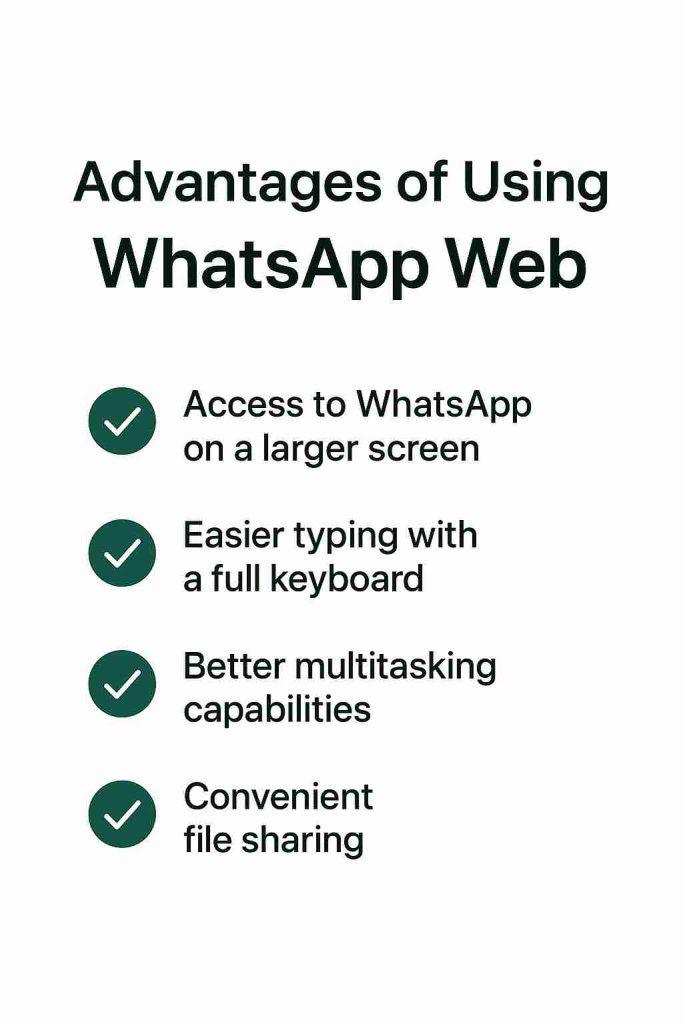
WhatsApp Business Web significantly improves business communication. It uses the power of a desktop environment. Its core advantages include convenient access and faster response management, as using a full keyboard enables quicker, more accurate typing. The Web interface also facilitates easy media sharing. The professional Catalog display by utilizing files stored on the computer.
It provides desktop access to organizational features like Quick Replies and Labels. Also it ensures professional and structured customer interactions. Ultimately, using the Web version enhances productivity for both support and sales teams. It enables efficient multitasking alongside other business software and maintains seamless multi-device synchronization.

Improve Your Communication with Botbuz in WhatsApp Business Web :
The Botbuz WhatsApp Business API elevates the basic WhatsApp Web experience for larger businesses. It provides scalable automation and advanced integration. It allows for the deployment of sophisticated AI-powered chatbots that deliver 24/7 support. Also it instantly handle routine inquiries, significantly boosting automation beyond simple auto-replies.
Critically, it enables the creation of a shared team inbox on the Web interface for real-time lead management and agent collaboration across unlimited users. Furthermore, the API acts as a seamless bridge. It integrates WhatsApp with core systems like CRM and marketing platforms. It ensures personalized, data-driven communication and efficient scaling across the entire organization.
Future of WhatsApp Business Web :
The future of WhatsApp Business, particularly the Web experience, is evolving into a sophisticated, AI-driven commerce and support platform. Key developments center on adopting advanced Generative AI chatbots. They are capable of complex & multi-step tasks. Thus, enhancing the platform with features like integrated voice and video calling.
The shift is toward predictive personalization. AI proactively anticipates customer needs using integrated CRM data to send relevant messages. To prepare, businesses must transition to the WhatsApp Business Platform (API). It helps to ensure their data is centralized and accurate. Also & prioritize robust opt-in and compliance practices to leverage this new era of automated, omnichannel customer communication.
Keeping WhatsApp Web Chats Secure :
To keep your WhatsApp Business Web chats secure, the most critical step is enabling Two-Step Verification (2SV) on your mobile app. It requires a custom 6-digit PIN to prevent unauthorized account takeover, even if your SMS verification code is stolen.
Additionally, you must regularly check the “Linked Devices” list on your phone. It helps to immediately log out any unfamiliar or old Web sessions, and always log out manually when using shared or public computers. Finally, businesses must train employees to recognize and avoid phishing scams where attackers try to trick them into sharing the 6-digit SMS code or the 2SV PIN.
Conclusion :
The WhatsApp Business Web provides the essential speed and efficiency needed today. It allows agents to manage structured customer communication using desktop tools like Quick Replies and Labels. However, true scalability is achieved by implementing the WhatsApp Business Platform (API). It is often facilitated by a solution like Botbuz.
Botbuz transforms the Web interface into a centralized, automated powerhouse. It enables multi-agent access, integrating with CRM systems. Also it deploys AI-powered chatbots for 24/7 support. Ultimately, while the Web version offers the necessary foundation, adopting the Botbuz API is the strategic move required. It helps to ensure personalized, scalable, and future-proof conversational commerce.