- The “message not delivered” Issue on WhatsApp :
- Understanding WhatsApp Message Delivery Status :
- Why WhatsApp Messages Don't Deliver :
- Other Common Reasons for WhatsApp Message Not Delivered :
- How to Fix WhatsApp Message Not Delivered Issues :
- When to Retry Sending a Message :
- Advanced Fixes for Persistent Delivery Problems :
- Best Practices to Prevent Future WhatsApp Delivery Issues :
- How Botbuz Helps to Fix and Prevent Delivery Issues :
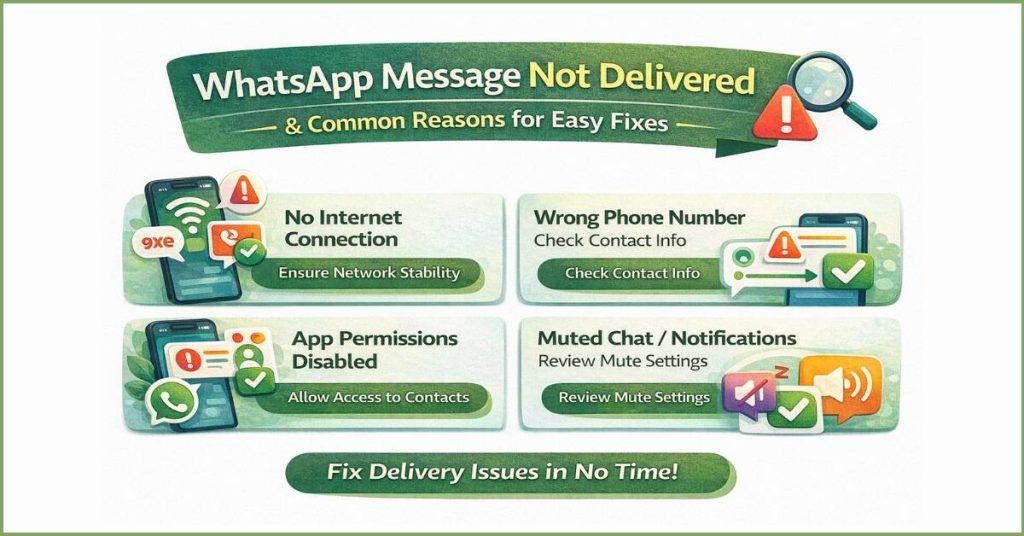
The “message not delivered” Issue on WhatsApp :
The WhatsApp “message not delivered” issue is when a message receives only a single gray checkmark. It means it was sent but hasn’t reached the recipient. This usually occurs because the recipient is offline. It has been blocked by the sender, or is no longer a valid WhatsApp user.
For businesses, failures are often due to policy violations. It can be sending non-template messages outside the 24-hour service window. Also it might be having a low Quality Score due to spam reports. This delivery failure is frustrating for both users and businesses. It leads to a damaged customer experience, lost conversions, and potential risks to the business account’s reputation and standing on the WhatsApp Business Platform.
Understanding WhatsApp Message Delivery Status :
|
Symbol
|
Status
|
Meaning
|
|---|---|---|
|
✔️
|
Sent
|
The message successfully left your device and reached the WhatsApp servers.
|
|
✔️✔️(Gray)
|
Delivered
|
The message was successfully downloaded to the recipient's phone (or one of their linked devices).
|
|
✔️✔️(Blue)
|
Read (Seen)
|
The recipient has opened the chat and read the message. This can be disabled by either user in the Privacy settings (except for group chats and voice messages).
|
|
🕜(Clock)
|
Pending
|
The message is waiting on your device to be sent, typically due to a poor or non-existent internet connection on your end.
|
Why WhatsApp Messages Don't Deliver :
Reason #1: Wrong or Inactive Number
The most basic failure occurs if the destination number is incorrect, incomplete (often missing the international country code), or no longer active on WhatsApp. If a user deletes their account or changes their number, any messages sent will remain undelivered. For businesses, the fix is to use validation services to confirm that a number has an active WhatsApp profile before attempting to send messages, saving both time and money.
Reason #2: Blocked by User or Missing Opt-in
If a customer has explicitly blocked your number, your messages will fail to deliver. A separate issue for businesses is the lack of opt-in. WhatsApp requires explicit, verifiable consent from the user before a business can initiate a conversation (outside the 24-hour window). Sending messages without this required consent is a policy violation. It causes the message to be blocked by the platform.
Reason #3: Using Unofficial Messaging Tools
Attempting to use third-party, unofficial, or “modded” bulk-sending software to bypass WhatsApp’s rules will almost certainly cause delivery failure. WhatsApp’s spam detection systems easily identify traffic from these unauthorized platforms. It leads to blocked messages & extremely low delivery rates. It also has the high risk of a permanent ban on the business number. The only reliable fix is to use the official WhatsApp Business API via a trusted Solution Provider.
Reason #4: Non-Compliant Message Templates
Businesses must use pre-approved Message Templates for initiating conversations. Delivery fails if a business tries to send a template that was never approved. Also if the content violates WhatsApp’s policies. For example, containing promotional material disguised as a utility message, or advertising prohibited goods. The solution is to draft templates that are clearly categorized, policy-compliant & avoid spammy language. It helps to ensure they pass the approval process.
Reason #5: Exceeding Daily Messaging Limits For API users
WhatsApp places restrictions on the number of unique customers business can message in a rolling 24-hour period. It is on the basis of the account’s messaging tier. If a broadcast targets more unique users than the tier allows, the excess messages will be rejected by the API. Furthermore, a low Quality Rating (caused by user blocks and spam reports) can prevent you from moving to a higher tier or temporarily restrict your current limits.
Other Common Reasons for WhatsApp Message Not Delivered :
Beyond issues with phone numbers, templates, and limits, several common technical and behavioural factors can cause message to get stuck on a single checkmark :
Network Issues
The most frequent cause of temporary delivery failure is poor internet connectivity on either the sender’s or the recipient’s side. If a message has a clock symbol (⌚), the issue is on your end—your Wi-Fi or mobile data is too weak or disconnected. If it has a single gray checkmark, the problem is on the recipient’s end. Their device is currently offline or has unstable service. In both cases, the message will deliver automatically once a stable connection is established.
Outdated WhatsApp App
Using an outdated version of the WhatsApp mobile application (or an old version of the WhatsApp Business API client) can cause synchronization and compatibility issues with the current WhatsApp server. Developers constantly issue updates to fix bugs and improve stability. So running an older version may prevent the message from being correctly processed or received by the platform, resulting in delivery failure. The simple fix is ensuring both business and the recipient have the latest version installed from the app store.
Account Settings and Restrictions
Delivery can be blocked by certain account-level settings. On the recipient side, their Privacy Settings might be configured to only accept messages from saved contacts. It blocks any messages from a new number. For businesses, the issue may be more severe. Business accounts could be flagged for spam or policy violations. It leads to a temporary restriction. A restricted account can still receive messages but is often blocked from initiating new chats or sending broadcasts. It causes delivery failures until the restriction is lifted.
Message Content Issues
Even if the message uses an approved template, the specific content payload can cause delivery issues. This includes using unsupported media formats. For e.g., trying to send a file type WhatsApp doesn’t recognize. Also critically, using restricted words, links, or symbols. WhatsApp’s spam filters are highly sensitive. It uses excessive capitalization, repeated special characters, or links that point to known malicious or prohibited websites. It can trigger filters, leading to the message being quietly blocked by the server before it reaches the recipient.
How to Fix WhatsApp Message Not Delivered Issues :
If your message is stuck on a single gray checkmark, start with basic troubleshooting. First, confirm your own internet connection by toggling Wi-Fi or mobile data, or by turning Airplane Mode on and off. If that doesn’t work, close and reopen the WhatsApp app, or restart your entire phone. Also, make sure your app is updated. Also the phone has enough storage space, as low space can block message processing.
Finally, double-check the recipient’s number and watch for signs that you might have been blocked, as that prevents any delivery. For temporary issues like the recipient being offline, you should wait and retry. The message will typically deliver once they reconnect, or you can manually resend after fixing your own connection.
However, if you suspect a policy failure (for businesses), do not repeatedly resend. It could harm account quality. You should only contact WhatsApp Support if you are unable to send messages to any contact after trying all internal fixes, or if your account has been officially banned or restricted.
When to Retry Sending a Message :
|
Scenario
|
Action
|
|---|---|
|
Pending Message (Clock Icon ⌚)
|
Retry after connecting: Wait until your internet is stable. The app will automatically retry, but you can force-resend after fixing your connection.
|
|
Recipient is Likely Offline (✔️)
|
Wait 24–48 hours: If you know the recipient's phone is likely off or they are traveling, wait. The message is safe on the server and will be delivered once they come back online.
|
|
Post-Troubleshooting
|
Manual Resend: After updating your app or restarting your device, long-press the message and select Resend (or wait for the automatic retry).
|
Advanced Fixes for Persistent Delivery Problems :
For persistent WhatsApp delivery problems, advanced fixes start with managing app data. On Android, you can clear the app’s cache to remove corrupted temporary files. It hinders performance without losing your chat history. If that fails, a full reinstallation of WhatsApp is often required to fix deep-seated app issues. But this must always be preceded by a full chat backup to save your messages.
Lastly, if messages are failing globally, you should check the Meta Platform Status or use sites like Down Detector. It helps to confirm if there is a widespread server outage or service disruption affecting WhatsApp itself. It indicates the issue is beyond your device.
Best Practices to Prevent Future WhatsApp Delivery Issues :
Preventing delivery issues on WhatsApp requires a proactive approach. It is focused on user consent and platform compliance.
Maintain a Clean and Opted-In Contact List
You must only message customers who have given explicit permission, or an opt-in. It helps to receive communications from your business on WhatsApp. Immediately honoring any user request to stop receiving messages is critical. By sending messages only to an interested, consented audience, businesses significantly reduce the chances of getting blocked or reported as spam.
Follow WhatsApp Messaging Policies Strictly
All business-initiated messages sent outside the 24-hour customer service window must use a pre-approved template. Adhere strictly to both the Business and Commerce Policies, ensuring content is never spammy, overly promotional, or related to prohibited goods. Policy compliance is the primary defense against message rejection and account restriction.
Monitor Quality Ratings and Delivery Reports
Actively checking the account’s Quality Rating (Green, Yellow, or Red) in the WhatsApp Manager is essential. This rating reflects customer feedback like blocks and reports over the last seven days. If the rating drops to Yellow or Red, businesses must immediately investigate recent campaigns or templates. Regular monitoring allows to pause problematic messaging before it leads to restricted sending limits.
Use Verified and Official WhatsApp API Providers
For reliable, high-volume messaging, always use the Official WhatsApp Business Platform (API). It is either directly from Meta or through a verified Solution Provider. Unofficial tools risk an immediate account ban and zero deliverability. Using verified providers ensures a stable, compliant connection that scales with your business’s needs.

How Botbuz Helps to Fix and Prevent Delivery Issues :
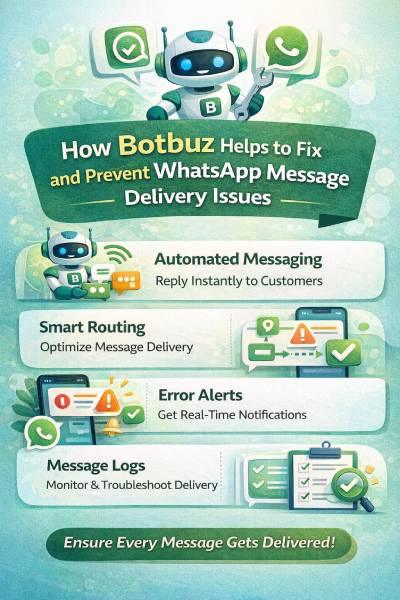
Botbuz addresses WhatsApp delivery issues. It provides an end-to-end solution built on the Official WhatsApp Business API. Thus, ensuring technical reliability and compliance. The platform helps prevent failures. It offers guidance on template approval and strict policy adherence. It enables proactive management through real-time delivery reports and analytics. Thus, allowing businesses to monitor user feedback and their Quality Rating. Additionally, Botbuz simplifies consent management with automated opt-in features. It uses reliable infrastructure with broadcast controls to maximize successful delivery while staying within Meta’s messaging limits.
Conclusion : Fixing WhatsApp Delivery with Botbuz
The core issue of WhatsApp messages not delivering is caused by factors like inactive numbers, policy violations, low quality ratings, and exceeding messaging limits. These failures harm customer trust and revenue. Also the unofficial tools only make the problem worse.
Botbuz provides the definitive solution by utilizing the Official WhatsApp Business API. It ensures delivery reliability through official infrastructure. It provides guidance for template approval and policy compliance. Also it offers real-time analytics and broadcast controls to manage limits and maintain a high Quality Rating. In short, Botbuz shifts the focus from fixing delivery issues to reliably driving engagement and growth.