- Growing Confusion around “free WhatsApp API” Claims :
- Why Do People Think WhatsApp API Is Free ?
- What’s Free in WhatsApp Business API ?
- What’s NOT Free in WhatsApp Business API ?
- What You Can Do with the WhatsApp API?
- Key Differences Between Free and Paid WhatsApp API Plans :
- Official Methods : Applying for WhatsApp Business API
- Botbuz – A BSP Offering Low-Cost Access :
Growing Confusion around “free WhatsApp API” Claims :
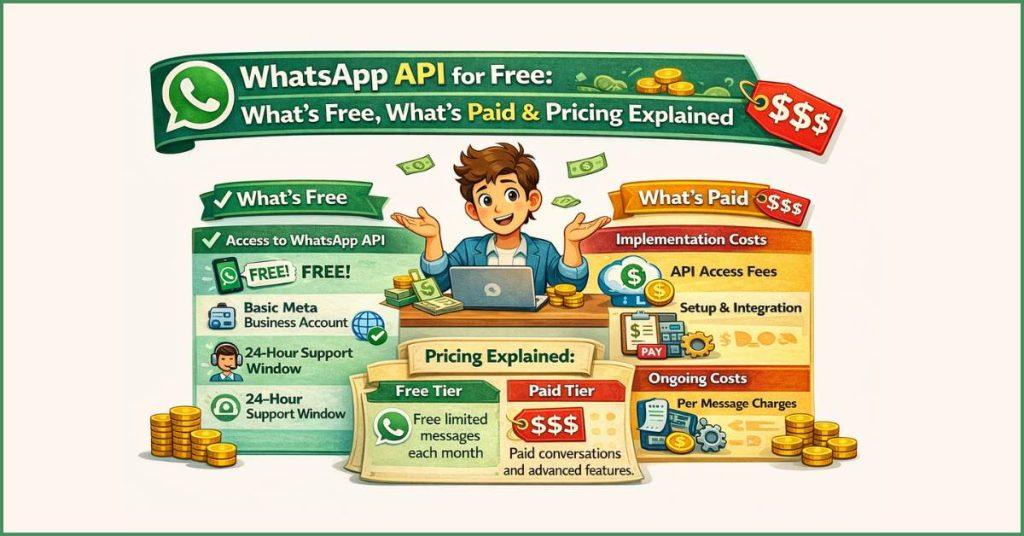
The WhatsApp Business API is not free, though it offers specific free “windows” for customer service.
As of July 2025, Meta has shifted to a per-message pricing model. You are now billed for every individual template message you send (Marketing, Utility, or Authentication), with rates varying by the recipient’s country. For example, in India, a marketing message costs roughly ₹0.78, while a utility message is about ₹0.11.
However, responding to a customer is free within a 24-hour “Service Window” that opens whenever a user messages you first. Additionally, if a customer finds you through a Facebook or Instagram “Click-to-WhatsApp” ad, you get a 72-hour free window to chat without any per-message charges. Beyond these Meta fees, you will typically pay a monthly subscription fee (ranging from $30 to $100+) to a platform provider to access the interface, automation tools, and multi-user dashboard.
Why Do People Think WhatsApp API Is Free ?
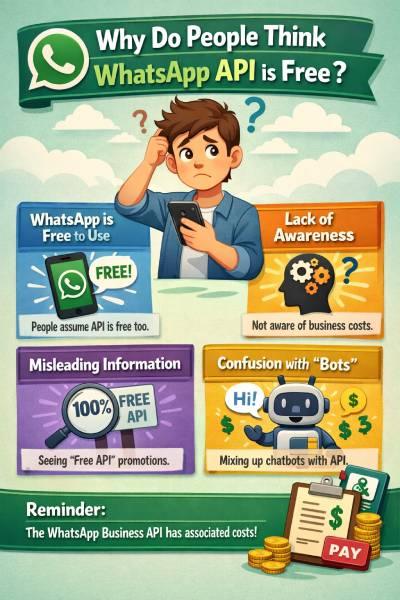
The idea that the WhatsApp API is free is a common misconception caused by “zero entry cost” marketing and specific free features. While Meta does not charge an upfront fee to access the Cloud API, businesses must pay per-message usage fees (as of 2025) for every marketing, utility, or authentication message sent.
The confusion is often heightened by Business Solution Providers (BSPs) who provide the necessary dashboard and tools to use the API; while they might offer “free API setup,” they almost always charge a monthly subscription fee and sometimes a markup on message costs. Ultimately, the API is only “free” for the first 1,000 service replies you send each month or for chats initiated via specific Facebook/Instagram ads, making it a paid professional tool for any business looking to scale.
What’s Free in WhatsApp Business API ?
While the API is a paid service, you can strategically use its “free zones” to handle a large part of your customer communication at zero cost.
- The Entry Points are Free
Setting up the account is generally free of charge from Meta’s side. If you use the Meta Cloud API directly, there are no hosting fees. Most software providers (BSPs) will also let you create templates and submit them for approval for free—you only pay the moment a message is successfully delivered to a customer’s phone.
- The “Service Window” Advantage
This is the most powerful free feature. When a customer messages you first, it opens a 24-hour Service Window. During this time, any message you send back (text, images, or PDFs) is 100% free. As of late 2024 and into 2025, Meta has made these service conversations even more accessible to encourage businesses to use the platform for support and AI-driven help.
- Three-Day Free Conversations
If a customer finds your business through a “Click-to-WhatsApp” ad on Facebook or Instagram, or clicks a button on your Facebook Page, the conversation is free for 72 hours. During this three-day window, you can send any type of message—even marketing promotions—without paying the usual per-message fee.
- Free Monthly Quota
Every WhatsApp Business Account still receives a “free tier” of 1,000 Service conversations each month. This means for small-to-medium businesses, the first 1,000 customers who reach out to you can be managed entirely for free, provided you reply within that 24-hour window.
What’s NOT Free in WhatsApp Business API ?
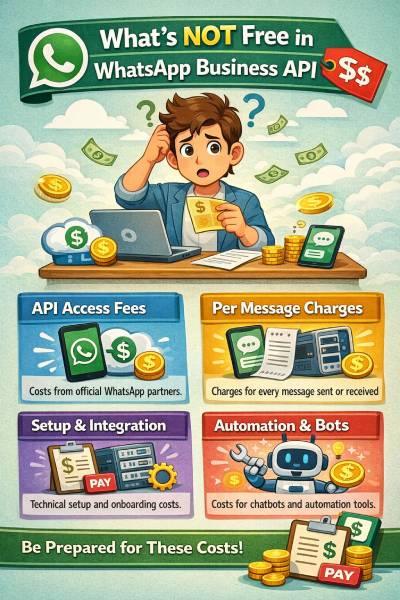
The WhatsApp Business API is a professional tool that is not free, though it offers several “free zones” to help businesses save. While creating an account is free of charge from Meta’s side, you must pay for usage and access.
As of July 1, 2025, Meta has shifted to a per-message pricing model. This means you are billed for every individual template message you send—such as Marketing (promotions), Utility (updates), or Authentication (OTPs)—with rates based on the customer’s country. However, you can save money by replying to customers within a 24-hour “Service Window,” as these replies are free.
You also get 1,000 free service messages per month and a 72-hour free window for any chat started via a Facebook or Instagram ad. Beyond Meta’s fees, most businesses also pay a monthly subscription fee (typically $20–$100) to a platform provider (BSP) to access the chat interface and automation tools.
What You Can Do with the WhatsApp API?
While the free app is built for manual chatting, the WhatsApp API is built for automation and scale. It transforms WhatsApp from a simple messaging tool into a powerful business engine.
- Automated Alerts and Notifications
The API allows your system to talk to your customers automatically. You can send instant updates for order confirmations, shipping alerts, or payment reminders. These are triggered by your website or software, so you don’t have to send them manually, ensuring your customers are always kept in the loop.
- Intelligent Chatbots and Workflows
You can deploy AI chatbots that work 24/7 to answer FAQs, qualify leads, or even book appointments. By using “Flows,” you can create interactive menus where customers can browse products or fill out forms directly within the chat interface, making the experience seamless and fast.
- CRM and Tool Integrations
The API “talks” to your existing tools. You can connect it to CRMs like HubSpot or Salesforce, and e-commerce platforms like Shopify. This means every conversation is logged in your database, and you can trigger personalized messages based on a customer’s purchase history or behaviour.
- Team Collaboration and Mass Reach
Unlike the standard app, the API provides a Multi-Agent Inbox, allowing dozens of employees to handle chats from one single number simultaneously. It also enables you to send Compliant Broadcasts to thousands of opted-in users at once, complete with “Green Tick” verification and detailed analytics on who opened or clicked your messages.
Key Differences Between Free and Paid WhatsApp API Plans :
The difference between “Free” and “Paid” for the WhatsApp API in 2025 is essentially the difference between doing it yourself and using a professional platform.
- Free Tier (The “Builder” Path)
If you have developers, you can access the Meta Cloud API directly for free. Meta does not charge a subscription fee for the “pipes.” In this tier, your only costs are Meta’s per-message fees. However, you have no dashboard—you have to build your own interface to read or send messages. You are also limited to a lower messaging speed (TPS) and have no live customer support if your number gets banned.
- Paid Plans (The “Business” Path)
Most businesses pay a Business Solution Provider (BSP) a monthly subscription (typically $15–$100) for a ready-made platform. The “Paid” part covers the Shared Inbox, where your whole team can log in, and the No-Code Bot Builder, which lets you automate replies without writing a single line of code.
- Messaging Performance
Performance is where the gap widens. Free self-managed accounts often start with lower limits (e.g., reaching 250 unique users per day). Paid professional plans help you scale faster through Meta’s Tiered System, moving you toward 10,000, 100,000, or even Unlimited messages per day as your “Quality Rating” stays high.
|
Feature
|
Free Tier (Self-Managed)
|
Paid Plan (via BSP)
|
|---|---|---|
|
Interface
|
None (Code only)
|
Full Dashboard & App
|
|
Team Support
|
1 Developer
|
Full Dashboard & App
|
|
Automation
|
Custom Coded
|
Drag-and-Drop Chatbots
|
|
Reliability
|
Basic Meta Support
|
Priority 24/7 Support
|
Official Methods : Applying for WhatsApp Business API
To get started with the WhatsApp Business API, you move from a simple app setup to a professional verification process. In 2025, this is mostly handled through an “Embedded Signup” that connects your business directly to Meta’s systems.
- The Application Method
Most businesses apply through a Business Solution Provider (BSP) because they provide the user-friendly dashboard you need to read and send messages. If you are highly technical, you can apply directly via the Meta Cloud API, but you will have to build your own messaging interface from scratch.
- Verification & Documents
Meta requires proof that your business is a legal entity. You will need to upload digital copies of documents like your GST certificate, Articles of Incorporation, or a utility bill that clearly shows your business name and address. This ensures your account is legitimate and qualifies you for higher messaging limits and the “Green Tick” official badge.
- Number & Template Setup
You must use a fresh phone number that isn’t currently linked to a standard WhatsApp app. Once the number is verified via a quick SMS or voice call, you create Message Templates. These are pre-written messages (like “Your order is ready”) that Meta’s AI must approve before you can send them to customers.
- Approval Timeline
The process is much faster today than in previous years. While basic API access is almost instant, verifying your legal business documents usually takes 2 to 7 business days. Once your business is verified, individual message templates are typically approved in under an hour.

Botbuz – A BSP Offering Low-Cost Access :
Botbuz is a specialized Indian platform that makes the WhatsApp Business API easy and affordable for growing brands. It removes the technical “coding” barrier with a user-friendly dashboard for managing bulk broadcasts, AI chatbots, and a multi-agent shared inbox. For a low monthly fee (starting around ₹799), it offers deep integrations with tools like Shopify and Razorpay, providing 24/7 automation and real-time analytics without the typical high costs or complexity of international providers.
Conclusion :
Using WhatsApp Business API through Botbuz transforms your customer engagement into a 24/7 automated growth engine. By combining Meta’s official “free zones” with Botbuz’s affordable, no-code platform, you can scale from simple chats to advanced AI-powered workflows and mass broadcasts without the technical overhead. It’s a cost-effective way for growing businesses to build professional trust, automate routine sales and support, and ultimately drive higher conversions on the world’s most popular messaging app.