- Understanding WhatsApp Business API Rate Limits :
- What are WhatsApp API Rate Limits ?
- Types of WhatsApp API Rate Limits :
- How WhatsApp API Messaging Limits Actually Work ?
- What Is Quality Rating and Why Does It Matter?
- How to Avoid Number Blocks and Rate Limit Errors ?
- How Smart Automation through Botbuz Helps Manage Rate Limits :
- FAQs About WhatsApp API Rate Limits :
Understanding WhatsApp Business API Rate Limits :
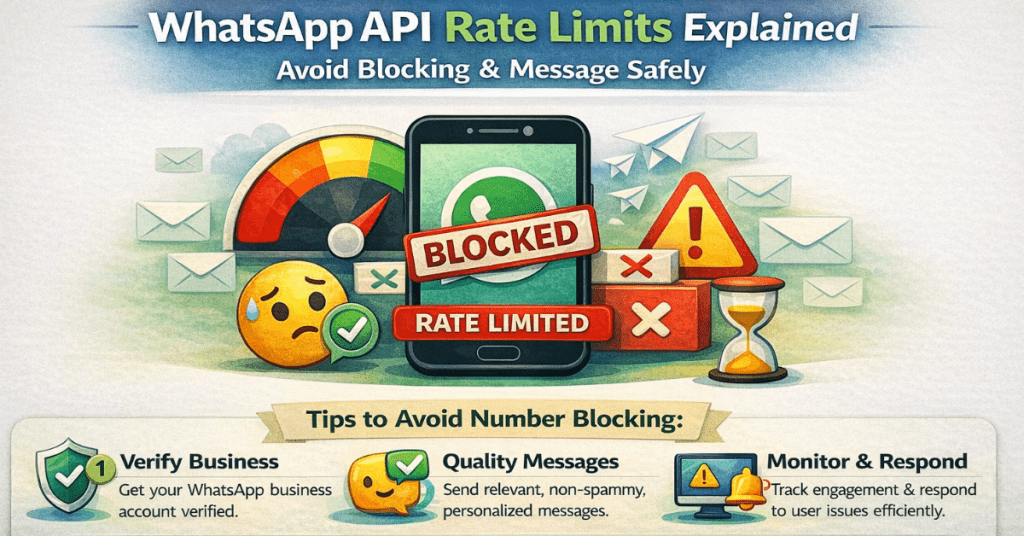
WhatsApp API rate limits act as a reputation-based traffic controller. It prevents spam while ensuring reliable delivery for legitimate businesses. It does not allow unlimited messaging immediately. Meta uses a tiered system where the capacity to reach more customers scales only as business proves its messages are high-quality and desired by users. Ignoring these limits leads to delivery failures. It means “Tier demotions,” or even permanent account bans. Thus, making it essential to monitor Quality Rating and secure explicit opt-ins. It helps to ensure that communication remains uninterrupted while scaling.
What Are WhatsApp API Rate Limits ?
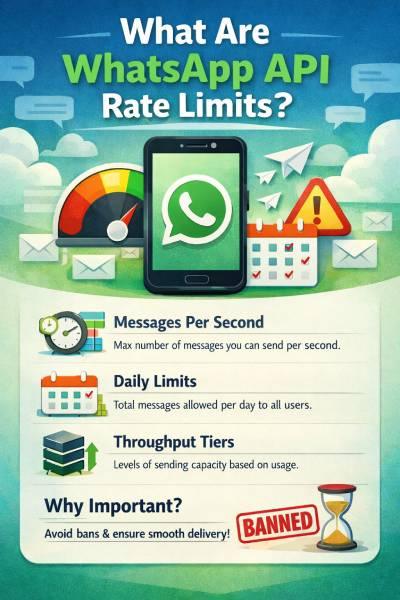
WhatsApp API rate limits are the platform’s “speed and volume controls”. It regulates how many unique customers a business can message & how fast those messages travel. While messaging tiers define total daily audience size ranging from 1,000 to unlimited users. Throughput limits control the messages sent per second to ensure technical stability.
Meta enforces these rules to protect users from spam & maintain high engagement rates. It means businesses must “warm up” their accounts & maintain high quality scores. It helps to scale bulk campaigns or automated notifications without facing delivery failures or account suspensions.
Types of WhatsApp API Rate Limits :
WhatsApp API rate limits are categorized into four distinct areas. 1) throughput, which controls the technical speed (messages per second). 2) template limits, which cap the variety of pre-approved message types you can store. 3) conversation tiers, which dictate the total number of unique customers business can reach daily. 4) quality-based limits, which act as a reputation score. Together, these ensure that businesses scale at a pace the platform can handle while prioritizing high-quality, user-approved interactions over high-volume spam.
How WhatsApp API Messaging Limits Actually Work ?
WhatsApp API messaging limits operate on a trust-based tier system. It controls how many unique customers a business can message within a rolling 24-hour window. It ranges from 1,000 to unlimited recipients. Template messages which are business-initiated are capped by these tiers & billed by category. While the session messages which are customer-initiated replies are virtually unlimited. It does not count toward the volume cap. To move to a higher tier, businesses must maintain a high quality rating. It must send at least half of the current limit over a week. Thus, ensuring that billing costs & messaging volume scale only alongside proven user engagement.
Phone Number Quality Rating
This is essentially your “reputation score.” WhatsApp monitors how users react to your messages over a rolling seven-day period. If people are opening & replying to your messages, your quality stays Green (High). However, if users are frequently blocking or reporting messages as spam then the rating will drop to Yellow or Red. A low rating is a major red flag. It stops business from scaling & can even lead to messaging capacity being reduced.
Messaging Tier System
The tier system is the ladder you must climb to reach a larger audience. Everyone starts on a lower rung (usually 1,000 unique recipients per day). You can’t skip levels just by asking; you have to “earn” the next tier by actually using your current capacity. Once a business sends messages to at least half of the current limit within a week while maintaining a high quality score, WhatsApp automatically moves you up to the next level. For e.g., from 1k to 10k.
User Engagement and Opt-in Behaviour
WhatsApp tracks “signals” to see if your messages are welcome. High engagement like users clicking buttons or typing back. It tells Meta that messages are valuable. Conversely, if businesses send messages to people who haven’t explicitly opted-in, they are much more likely to block. Meta’s system is designed to reward businesses that respect user preferences. It makes opt-in management the most important part of your strategy.
Business Verification Status
While business can start messaging without it, Meta Business Verification acts like a “vouched for” badge. By proving that business is a legal entity through official documentation, business demonstrates to Meta that it is a serious, accountable player. Being verified often unlocks higher starting limits & higher messaging speeds. Thus, making it much easier to manage large-scale campaigns or time-sensitive notifications like OTPs.
What Is Quality Rating and Why Does It Matter?
The Quality Rating is a business’s “reputation score” on WhatsApp. It is determined by how users react to messages over a rolling seven-day period. Meta uses a color-coded system like Green (High), Yellow (Medium) & Red (Low). It helps to track user feedback, specifically looking at how often people block or report numbers as spam. A high rating is essential for scaling. It allows for automatic tier upgrades, while a “Low” rating triggers “Flagged” status. It leads to template pauses, tier demotions, or permanent account bans if the negative feedback isn’t addressed.
How to Avoid Number Blocks and Rate Limit Errors ?
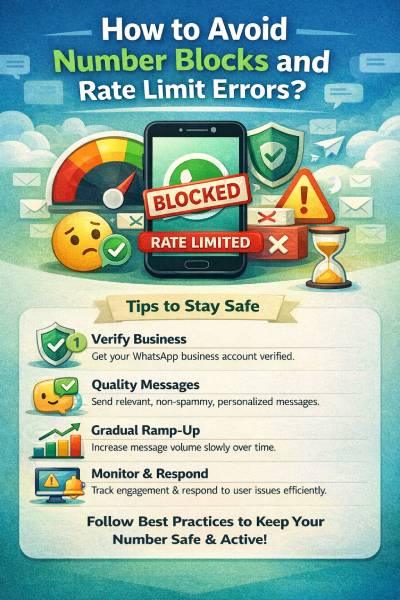
To avoid number blocks and rate limit errors, businesses must prioritize user-centric messaging. It is by securing explicit, documented opt-ins and providing a clear way for users to “Unsubscribe” within the chat. Thus, preventing them from using the “Block” button. By segmenting the audience and personalizing content, businesses ensure relevance. It increases engagement and maintains your Green (High) Quality Rating.
Furthermore, proactively monitoring health alerts and “dripping” or batching message volume. Also rather than sending massive bursts will prevent sudden spikes in negative feedback that could trigger automatic throttling or permanent account suspension.

How Smart Automation through Botbuz Helps Manage Rate Limits :
Smart automation through platforms like Botbuz acts as a technical safeguard. It manages the “heavy lifting” of Meta’s strict compliance rules. By using intelligent queuing and throttling, the platform ensures messages are delivered at a safe speed. It avoids API crashes, while automated scheduling prevents sending messages at intrusive times that trigger user blocks.
Most importantly, it provides real-time monitoring and “safety-valve” features. It can automatically pause campaigns if quality rating drops. Thus, protecting phone number’s reputation and ensuring business scales without the risk of sudden account suspension.
Conclusion :
WhatsApp API rate limits and quality ratings act as a critical health-and-safety system. It is designed to prevent spam while rewarding high-quality business interactions. By using an official Business Solution Provider like Botbuz, businesses can navigate these complexities. It is done through automated KYC verification, which quickly unlocks higher messaging tiers and broadcast limits.
Botbuz further safeguards accounts by employing intelligent queuing to prevent throughput errors. Also it provides alongside real-time monitoring that alerts to changes in quality rating. Thus, ensuring that business can scale its communication safely, reliably & with full compliance.
FAQs About WhatsApp API Rate Limits :
Navigating WhatsApp’s rules requires a clear understanding of how Meta balances business growth with user experience. Here are the answers to the 7 most frequent questions about rate limits.
- What happens if I exceed my current messaging tier?
If you attempt to start a new conversation with a customer after reaching your daily limit, the message will fail to send, and you will typically see Error 63018. This limit only applies to “Business-Initiated” messages (new templates). Crucially, you can still reply to any incoming messages from customers, as these fall under “Service” conversations and are not capped by your tier.
- Can I manually request a tier upgrade from Meta?
No, upgrades are handled by an automated system that rewards good behavior. You move up when you consistently send messages to at least half of your current limit over a 7-day period while maintaining a high quality rating. The only “manual” way to influence limits is by completing Meta Business Verification. It can immediately boost a new account’s starting capacity from 250 to 1,000+ unique recipients.
- Do messaging limits apply per phone number or per account?
As of late 2025, Meta shifted to Portfolio-Level Limits. This means all phone numbers under one WhatsApp Business Account (WABA) now share a collective daily limit based on the highest-tier number in the group. If the portfolio limit is 10k, a new number added today will immediately inherit that 10k capacity, rather than starting at zero, which makes the scaling much faster for multi-brand companies.
- How long does a “Flagged” status or a temporary block last?
A “Flagged” status is a warning that lasts for 7 days. During this week, you can still send messages, but you cannot upgrade to a higher tier. If you improve your quality (by reducing blocks and reports) within those 7 days, you return to “Connected” status. If the quality remains low, you stay at “Connected,” but Meta will automatically demote your tier (e.g., dropping your daily limit from 10k to 1k).
- What is the difference between Messaging Tiers and Throughput?
Think of Messaging Tiers as your “daily fuel tank”—they limit the total number of unique people you can reach in 24 hours. Throughput, on the other hand, is your “speedometer”—it limits how many messages you can physically send per second (the default is 80 MPS). You could have an “Unlimited” daily tier but still face delivery failures if you try to blast too many messages in a single second.
- Do user-initiated replies count toward my rate limits?
No. Messaging limits are designed to prevent outbound spam, so they only apply to conversations that the business starts. If a customer reaches out to you first, you can exchange an unlimited number of messages with them within the 24-hour service window without affecting your daily unique user quota.
- How often does my Quality Rating update?
Your rating is recalculated continuously based on user feedback from the last 7 days. However, the system uses “recency weighting,” meaning user blocks or reports from the last 24–48 hours have a much stronger impact on your score than feedback from earlier in the week. This allows the system to react quickly to a sudden “spammy” campaign.