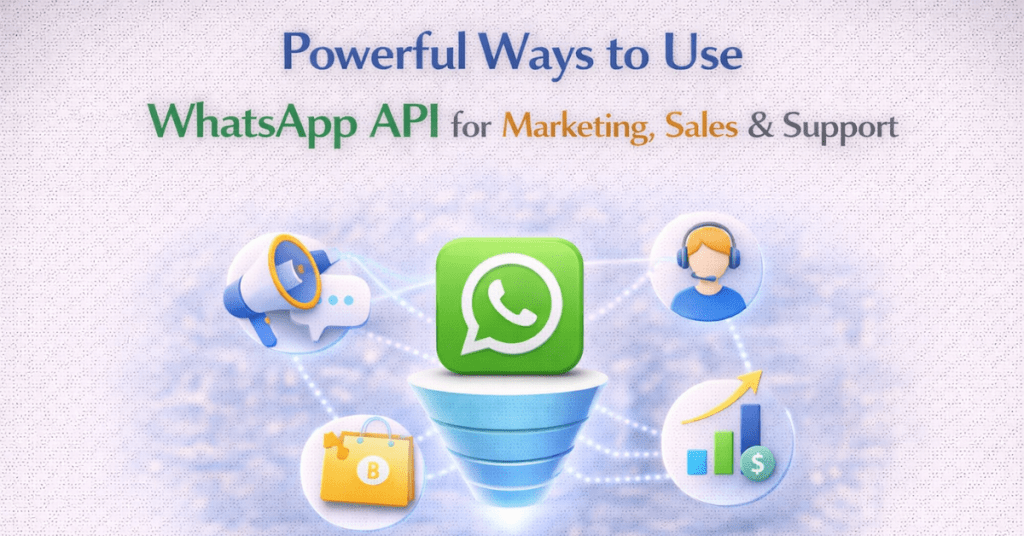
WhatsApp : A Full Funnel Customer Engagement Platform
WhatsApp has evolved from a simple chat app into a comprehensive “conversational commerce” hub where brands manage the entire customer lifecycle in one thread. By leveraging the WhatsApp Business API, companies move beyond basic messaging to integrate automation, catalogs, and payments, effectively collapsing the traditional sales funnel. This strategy succeeds by matching specific API tools like interactive ads or automated support to every stage of the journey, transforming fragmented interactions into a seamless, high-trust dialogue that drives both sales and long-term loyalty.
How Does WhatsApp API Use Cases Fit the Customer Buying Cycle?
Imagine WhatsApp as a digital bridge that connects a shopper to a store from the first “hello” to the final “thank you.” Instead of jumping between different apps or waiting days for an email, a customer can discover a product through an ad, ask questions to an automated bot, and pay for their item all inside one chat window. This “real-time” speed makes shopping feel like a natural conversation with a friend rather than a chore, which helps businesses sell more and keep customers happy. By using smart automation that remembers a person’s name and past favourites, companies can give everyone a personal experience without needing a human to type every single reply.
Pre–Purchase Stage :
In the Pre-Purchase stage, the goal is to move a stranger from “just looking” to “ready to buy.” Because WhatsApp is where people already talk to friends, businesses can use the API to create a low-pressure, high-speed discovery environment.
- Click-to-WhatsApp Ads
Instead of sending people from a Facebook or Instagram ad to a slow-loading website, the “Send Message” button opens a WhatsApp chat immediately. This captures the lead the second they click.
- Automated Welcome Messages
First impressions matter. As soon as a user starts a chat, an automated greeting sets the tone, introduces the brand, and offers a menu of options to help them get started.
- Product Catalogue Sharing
The API allows you to send a digital storefront directly into the chat. Users can swipe through up to 30 items, see prices, and view descriptions without ever leaving the app.
- Lead Qualification via Chatbot
Bots can ask the “boring” questions first—like “What is your budget?” or “What city are you in?”—to ensure your sales team only spends time talking to high-value prospects.
- Interactive Product Recommendations
By using Quiz-style bots, you can ask users about their preferences (e.g., “Do you prefer dry or oily skin products?”) and then automatically suggest the perfect match from your inventory.
- Event & Webinar Invitations
Email invites often get buried. Sending a personalized invite on WhatsApp with a “Register Now” button sees much higher attendance rates for product launches or online demos.
- Promotional Broadcast Campaigns
Brands can send “Opt-in” marketing messages about seasonal sales or limited-time offers. Since these have a 98% open rate, they are significantly more effective than traditional newsletters.
- Abandoned Browse Reminders
If a user looks at a product in your WhatsApp catalog but doesn’t buy, a gentle automated nudge 24 hours later (perhaps with a 5% discount) can bring them back to finish the deal.
- FAQ Automation
Most customers have the same five questions: “Do you ship to India?” “What is the warranty?” “Is this in stock?” A bot can answer these instantly, 24/7, so the customer doesn’t lose interest while waiting.
- Appointment Booking & Demo Scheduling
For high-ticket items (like cars or software), users can view a calendar and pick a time for a test drive or a Zoom demo entirely through interactive buttons in the chat.
Purchase Stage :
- Automated Price Quotes – For custom services, a bot can calculate costs based on user input and send a formal PDF quote instantly.
- Personalized Offers – Sending a unique, time-sensitive discount code (e.g., “JUSTFORYOU10”) based on the user’s specific chat history.
- Cart Abandonment – Automatically nudging users who left items in their digital cart with a direct “Check Out Now” button.
- Secure Payment Links – Integrating with gateways (like Razorpay or Stripe) to send encrypted, one-tap payment links directly in the thread.
- Order Confirmation – Sending an immediate “Success!” message with a summary, digital receipt, and estimated delivery date.
- COD Confirmation – Reducing fake orders by asking users to click a “Confirm Order” button via WhatsApp before shipping Cash-on-Delivery items.
- Upselling/Cross-selling – After a selection is made, the bot suggests a perfect pair: “People who bought this coffee also love these filters!”
- EMI / Finance Help – Using a calculator bot to show monthly instalment options for high-value items like electronics or furniture.
- Real-Time Agent Transfer – When a deal gets complex, the bot seamlessly hands the chat to a live salesperson to “close the deal” personally.
- B2B Bulk Coordination – Allowing business clients to place large, multi-item orders using simple list menus and bulk-pricing logic.
Post–Purchase Stage :
- Shipping & Delivery Updates – Sending proactive “Out for Delivery” alerts so the customer doesn’t have to guess when their package arrives.
- Order Tracking Automation – A “Track My Order” button that pulls real-time data from a courier (like DHL or FedEx) directly into the chat.
- Customer Feedback Collection – Sending a quick “How was your experience?” message with 1-5 star buttons for instant NPS data.
- Complaint & Ticket Creation – If something goes wrong, the bot can gather photos of a damaged item and automatically create a support ticket.
- Return & Refund Processing – Letting users initiate a return by tapping a button and receiving a QR code for the courier to scan.
- Warranty Registration – Prompting the user to snap a photo of their invoice to activate their product warranty instantly.
- Proactive Service Alerts – Reminding a customer that their car needs an oil change or their subscription is about to expire.
Marketing & Retention :
- Loyalty Program Updates
Instead of a plastic card or a forgotten app, a customer’s loyalty points live in their WhatsApp thread. Brands can send automated updates like, “You’re only 10 points away from a free coffee!” with a button to view their digital rewards card.
- Reorder Reminders
By analysing past shopping habits, the API can predict when a customer is running low on a product (like protein powder or skincare). A perfectly timed message—”Ready for a refill?”—with a one-click “Reorder Now” button makes repurchasing effortless.
- Subscription Renewal Alerts
For services like gym memberships or streaming apps, the API sends a nudge before the billing date. This prevents “accidental” cancellations and gives the user a chance to upgrade their plan or update their payment method directly in the chat.
- Review & Testimonial Collection
The best time to ask for a review is right after a positive experience. A quick automated message asking, “How are you loving your new shoes?” with a link to record a video testimonial or leave a 5-star rating on Google captures social proof while the excitement is still fresh.
Integration and Automation :
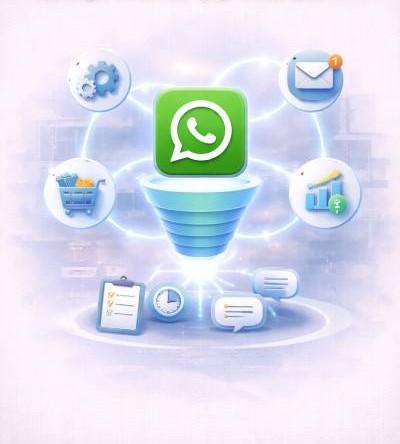
Think of Integration and Automation as giving a brain and a memory to a business’s WhatsApp account. Without it, every time a customer messages, the store has to ask, “Who are you?” and “What did you buy?” But with CRM and E-commerce integration, the store remembers everything perfectly. It’s like a super-smart assistant that knows your favorite color, has your receipt ready, and can even take your payment right in the chat.
Because the system is connected to the warehouse (ERP), it never promises something that’s out of stock. And thanks to AI, the bot doesn’t just follow a script, it actually understands how a customer is feeling. If someone is upset, the AI is smart enough to go get a real human to help. It makes shopping feel less like a series of emails and more like a conversation with someone who really knows you.

Strengthen WhatsApp Strategy with Botbuz :
Think of Botbuz as the “remote control” for a business’s WhatsApp. Instead of a store owner having to type every message on a tiny phone, Botbuz lets them manage thousands of customers from a computer. It’s like a super-smart robot assistant that knows when to send a “Happy Birthday” discount, can show off a catalog of toys, and even helps people pay for things safely. Because it connects to the store’s other “brains” (like their website), it never makes mistakes about what’s in stock. It basically takes all the hard work out of talking to customers so the business can focus on making great products.
Conclusion :
In the end, using WhatsApp and a tool like Botbuz is like giving a business a superpower. Instead of making customers wait for emails or search through websites, the business stays right in their pocket. From the moment someone first sees an ad to the day their package arrives, everything happens in one friendly chat. Botbuz does all the “heavy lifting” like remembering names, answering questions instantly, and keeping track of orders, so the business can grow faster and the customer stays happy. It’s the easiest way for a store to be a “best friend” to its customers while staying open 24/7.
FAQs :
- How does the WhatsApp API help in the Awareness stage?
The API uses Click-to-WhatsApp ads on Facebook and Instagram to instantly open a chat when a user clicks. This captures leads immediately in a private conversation, preventing the “drop-off” that usually happens when people are sent to a slow website.
- Can I use WhatsApp to help customers choose products?
Yes. During the Consideration stage, you can send interactive product catalogs and use quiz-style bots. This allows customers to swipe through your shop and get personalized recommendations based on their answers, all within the chat.
- How does Botbuz handle customers who leave items in their cart?
Botbuz triggers automated abandoned cart reminders that nudge users to finish their purchase. These messages often include a direct “Checkout” button or a small discount, making it incredibly easy for the customer to return and pay.
- Is it possible to collect payments securely within WhatsApp?
Absolutely. Botbuz integrates with payment gateways to send encrypted, one-tap payment links. In many regions, customers can even use native WhatsApp Pay, allowing them to buy products without ever leaving the message thread.
- How can the API improve post-purchase support?
It automates the “where is my order?” process by sending proactive shipping updates and real-time tracking links. This keeps customers informed automatically, which reduces the number of support calls your team has to handle.
- Do I need to be a developer to build these journeys?
No. Botbuz provides a no-code, drag-and-drop builder that lets you create complex automated flows visually. You can set up welcome messages, FAQ bots, and sales funnels without needing to write any software code.
- How does Botbuz turn buyers into loyal advocates?
It automates loyalty updates and review requests. By sending “reorder reminders” when a customer is running low or asking for a 5-star rating right after a delivery, you keep the brand top-of-mind and encourage repeat business.