- Why is WhatsApp Becoming an Important Channel For Business Payments ?
- What Is a Payment Link on WhatsApp?
- What Businesses Need Before Sending Payment Links ?
- Why Payment Links Became a Merchant Favorite ?
- Sending Payment Link on WhatsApp India: Step-by-Step Guide
- How Do You Automate Payment Links on WhatsApp?
- How Do You Use Botbuz WhatsApp Payments?
- Best Practices for Sending Payment Links on WhatsApp :
- FAQs :
Why is WhatsApp Becoming an Important Channel For Business Payments ?
Companies are changing how they use WhatsApp. They are turning the app into an online shop where customers can ask questions & buy items in one place. Instead of sending shoppers to a separate website with complicated checkout forms, businesses can simply text a quick payment link right inside the chat window.
This makes shopping much faster and easier. It is because customers can buy items instantly while already messaging with the store. By combining friendly text conversations with simple payment links, companies can sell products faster. It keeps customers happy, and makes sure fewer people leave their purchases unfinished.
What Is a Payment Link on WhatsApp?
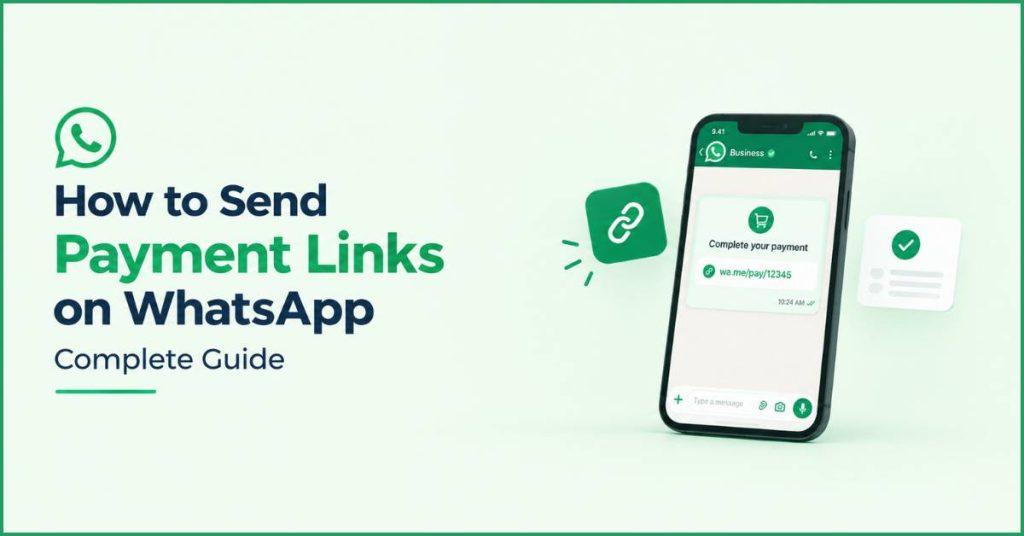
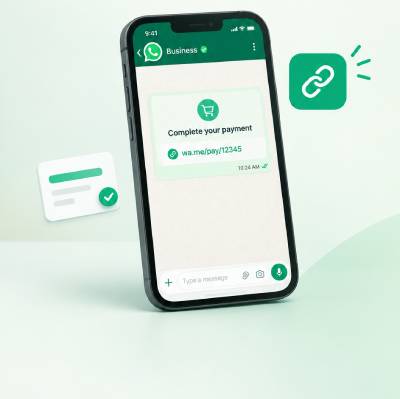
A payment link on WhatsApp is a special clickable web address. It is sent directly in a message thread that carries all the details of a customer’s order. Details like the item price and total amount due. When shoppers click the link, they are taken straight to a secure checkout screen. This is where they can instantly pay using their favorite method. It can be a credit card or digital wallet without filling out long address forms or creating a new online account.
Traditional online checkouts require navigating through complex websites & cash payments require meeting in person. These links allow buyers to complete a purchase in seconds while chatting with a seller. Businesses find payment links especially useful when answering customer questions in real time. It includes selling custom or made to order items, sending monthly bill reminders, or rescuing abandoned orders when someone forgets to complete a purchase.
Why Send Payment Links Through WhatsApp?
Businesses choose to send payment links through WhatsApp. It is because it reaches customers in an app they already check every day. Thus, making checkout much faster and simpler. Instead of opening emails or filling out long forms on websites, shoppers can just tap a pre-filled link in their chat and pay in seconds. It is done using their favorite digital wallet or card. This hassle-free process stops shoppers from getting frustrated and abandoning their purchases halfway through. It also makes it easy for sellers to send friendly bill reminders or answer quick questions. Thus, automatically sending instant receipts & tracking updates directly in the same text thread.
What Businesses Need Before Sending Payment Links ?
Before a company can send payment links over WhatsApp, it needs a few key tools and permissions in place. First, the business must use an official WhatsApp Business account. It helps customers know that the messages are real and safe. Next, the company has to connect with a payment processing service.
It can be like Stripe or PayPal that actually creates the secure web link and handles the money. That link must be generated with exact details like the price and order number so shoppers cannot change the amount owed. Finally, sellers must get permission from buyers to message them on WhatsApp. It should double-check all customer details so receipts & order updates reach the right person.
Why Payment Links Became a Merchant Favorite ?
Merchants love using payment links. They offer a simple, hassle-free checkout experience. works anywhere businesses talk to customers. It includes messaging chats, social media, and websites. The link comes already filled out with the total price and order details. So buyers do not have to waste time manually typing information to the seller.
This seamless setup allows shoppers to pay right away. It can be done by using their preferred cards or digital wallets. It helps businesses collect money faster and close sales in seconds. Overall, because these links are so easy to share across any customer conversation, merchants can boost their sales. Thus, keeping their buyers happy without needing a complex, expensive website.
Sending Payment Link on WhatsApp India: Step-by-Step Guide
To send payment links on WhatsApp in India, a business first pairs up with an official payment service. It is like Razorpay or Cashfree that works smoothly with India’s popular payment system, UPI. Next, the store creates a special link set in Indian Rupees (₹). It is with the exact order total and texts it directly to the customer’s chat.
When buyers tap the link, they can quickly pay using popular everyday apps like Google Pay, PhonePe, Paytm, or their bank cards. It automatically sends a receipt right back into the conversation once finished. If a payment ever fails or takes too long, the system automatically sends a friendly follow-up message. Thus, the buyer can easily try again with a single tap.
How Do You Automate Payment Links on WhatsApp?
Automating WhatsApp payment links means connecting a store’s computer systems. It is directly with messaging chatbots & payment processors so the whole buying process runs on its own. When a customer picks an item in chat or leaves a web shopping cart behind, smart software automatically generates a custom checkout link and sends it to their WhatsApp inbox without requiring a human worker.
Helpful chatbots can guide shoppers through choosing items. It collects their shipping details & immediately sends a receipt & tracking updates as soon as the payment goes through. If a buyer forgets to finish paying, the system even sends gentle reminder messages or creates a new link if the original one expires. Thus, making sure the store never misses a sale.

How Do You Use Botbuz to Automate WhatsApp Payments?
Botbuz acts like a smart digital assistant. It allows businesses to sell products & collect money without ever leaving a WhatsApp chat. When a customer messages a store asking about an item, Botbuz automatically shows them pictures and prices. It lets them pick what they want, and instantly creates a secure payment link for the exact total.
As soon as the customer taps the link and pays, Botbuz sends an instant receipt and updates the store’s records so the team knows the order is complete. If a buyer stops halfway through checking out, Botbuz even sends friendly automated reminders. It helps them to finish their purchase. Thus, making the entire shopping experience smooth for the customer & effortless for the store owner.
Best Practices for Sending Payment Links on WhatsApp :
When businesses send payment links on WhatsApp, following key best practices ensures that customers feel safe and complete their purchases smoothly. A store should always clearly explain what the payment is for. It displays the exact order total, and uses trusted payment systems so buyers do not worry about scams. Personalizing the message with the customer’s name and using clear buttons like “Pay Now” makes the next step obvious and easy to follow.
Finally, sending polite payment reminders if a buyer forgets to check out. Also immediately providing a digital receipt as soon as the money goes through. Thus, building strong trust and keeping shoppers coming back.
Conclusion :
Sending payment links on WhatsApp turns everyday text chats into a fast and simple way for businesses. It helps to sell products and collect money. The company can pair this method with smart tools like the Botbuz chatbot. The entire buying process becomes fully automated, from answering product questions to creating secure checkout links and sending instant receipts. By keeping messages clear, showing exact prices, and using trusted payment methods, sellers make shopping completely hassle-free for customers. Overall, using WhatsApp and Botbuz helps businesses save time. It helps to avoid lost sales, and give shoppers a safe, modern experience they can trust.
FAQs :
- What is a WhatsApp payment link, and how does it work with Botbuz?
A WhatsApp payment link is secure. The unique URL sent directly in a chat thread. It takes customers to a pre-filled checkout screen. When integrated with Botbuz, the platform automatically generates this link via your payment gateway. For e.g., Razorpay, Stripe, Cashfree, as soon as a customer selects an item or confirms an order, allowing them to pay without leaving the messaging context.
- Is it safe for customers to pay through payment links sent on WhatsApp?
Yes, payment links sent through official business accounts are completely secure. The payment itself is processed on PCI-DSS compliant payment gateway pages using encrypted connections (HTTPS). Botbuz and WhatsApp do not store raw credit card details or bank credentials. It ensures full transactional compliance and data protection.
- Which payment gateways can I connect with Botbuz?
Botbuz supports direct integrations. It supports API connections with major global and local payment processors. It includes Stripe, Razorpay, Cashfree, PayPal, PayU, and Mercado Pago. This flexibility allows businesses to accept UPI, credit/debit cards, net banking, digital wallets, and Buy Now Pay Later (BNPL) options depending on their region.
- Do I need coding knowledge to build automated payment flows in Botbuz?
No, Botbuz features a no-code, visual drag-and-drop flow builder. Business owners and marketers can easily create automated chatbot journeys. Right from product browsing and address collection to dynamic link generation and post-payment receipts. It is done without writing a single line of code.
- What happens if a customer opens a payment link after it has expired?
Payment links can be configured with dynamic expiration times. For e.g., 15 or 30 minutes to protect limited product inventory. If a customer taps an expired link, the checkout page will display an expiration notice. Botbuz can automatically send a follow-up message with a single-tap button to generate a fresh link instantly.
- How does Botbuz handle payment confirmations and order receipts?
Once a customer completes their transaction, the payment gateway sends a real-time webhook notification back to Botbuz. The platform immediately sends an automated WhatsApp message to the customer containing a payment confirmation, an itemized digital receipt or PDF invoice, and expected delivery updates.
- Can Botbuz automatically send follow-up messages for abandoned checkouts?
Yes. If a customer generates a payment link but does not complete the transaction within a set time frame such as 20 or 30 minutes, Botbuz can trigger automated reminder sequences. These polite follow-up messages remind buyers about their pending cart items. It offers direct assistance or refreshed payment buttons to recover lost sales.