- WhatsApp Dominating Business Communication :
- Why Click-to-WhatsApp Ads Are Nearly Impossible to Track by Default ?
- Bridge the Gap Between 'Just Browsing' and 'Final Sale' with WhatsApp Marketing :
- How CAPI Powers WhatsApp Conversion Tracking ?
- How to Set Up CTWA Conversion Tracking in Botbuz ?
- Best Practices for CTWA Conversion Tracking :
- Best Practices for Merchants :
- Results of WhatsApp Marketing from Businesses on Botbuz :
- FAQs :
WhatsApp Dominating Business Communication :
Conversational marketing has surged as brands shift from static communication to real-time, personalized dialogue. WhatsApp dominates this space through its global ubiquity. It provides direct reach, and high open rates. Businesses leverage its AI chatbots, automated messaging, and integrated product catalogs. It helps to handle inquiries instantly & streamline purchases. Thus, turning daily conversations into higher engagement and direct sales.
Why Click-to-WhatsApp Ads Are Nearly Impossible to Track by Default ?
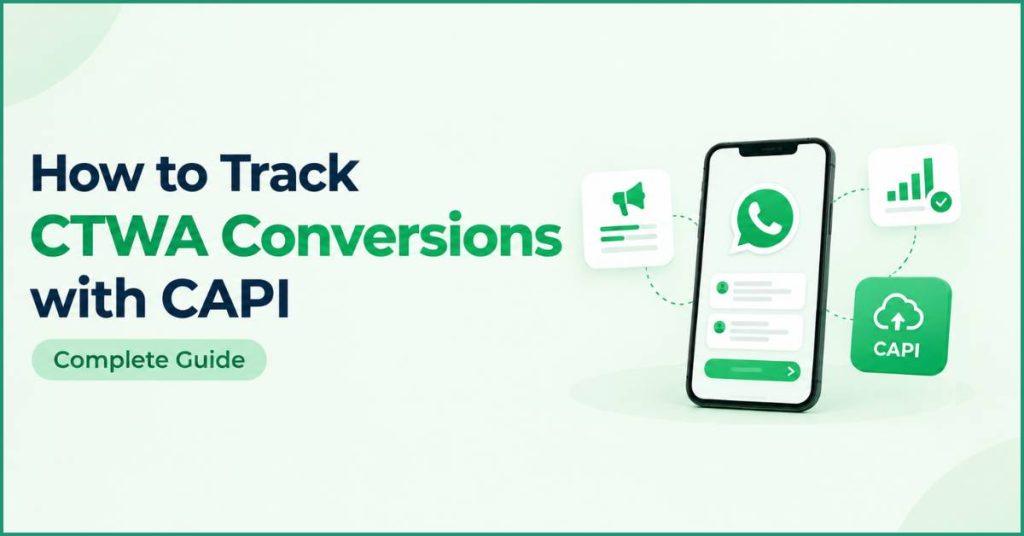
Click-to-WhatsApp (CTWA) ads take users out of web browsers & drop them directly into a closed messaging app. It bypasses the traditional landing pages where Meta Pixels operate. Because pixels rely on browser cookies, they cannot see what happens inside WhatsApp. It creates a massive tracking gap between ad clicks & actual customer messages or sales. Marketers struggle to link specific ad spend to real business outcomes through native reporting alone. To fix this, businesses use server-side conversion tracking via Meta’s Conversions API (CAPI). It connects their CRM directly to Meta to accurately match closed sales back to the original ad.
Bridge the Gap Between 'Just Browsing' and 'Final Sale' with WhatsApp Marketing :
WhatsApp marketing converts passive customer interest into actual sales. It guides prospects through every stage of the buying process directly inside the chat. By pairing automated lead nurturing with instant product recommendations and automated payment reminders, brands eliminate friction and re-engage hesitant shoppers before interest fades. Real-time customer support and automated checkout assistance resolve final purchasing doubts on the spot. It allows businesses to turn abandoned carts and casual inquiries into completed revenue.
How CAPI Powers WhatsApp Conversion Tracking ?
Meta’s Conversions API (CAPI) bridges the visibility gap in messaging campaigns. It enables server-side data transfer directly between a business’s infrastructure and Meta’s servers. Unlike traditional browser-based tracking which relies on website cookies and page loads that fail inside mobile apps, CAPI routes events such as initiated chats. It qualifies leads, and completes purchases directly from backend systems like CRMs or messaging platforms.
When a user engages with a WhatsApp chat after clicking an ad, server-side integration captures specific identifier tokens. It sends them to Meta alongside the user’s conversion status. This seamless data link allows Meta’s ad algorithms. It helps to recognize which specific ad campaigns generated high-value customers. It drastically improved campaign optimization, targeting accuracy, and overall ad performance tracking.
How to Set Up CTWA Conversion Tracking in Botbuz ?
Botbuz enables Click-to-WhatsApp conversion tracking. It is done by linking its messaging backend directly with Meta Business Manager. Once connected, marketers set custom conversion triggers like captured leads. It books appointments, or completes sales, within their automated WhatsApp flows. As users hit these milestones inside the chat. Botbuz sends the event data back to Meta via server-side API calls paired with the user’s ad click ID. This server-to-server tracking provides accurate performance metrics. It validates true ad return, and trains Meta’s algorithms to target higher-value users.
Conversions API : How to Set It Up on Botbuz
Setting up Meta Conversions API (CAPI) on Botbuz begins by identifying key chat milestones. It includes captured leads, scheduled appointments, or purchases. It then aligns directly with business goals. Once these conversion points are mapped to corresponding Meta event types, Botbuz is configured to pass user actions to Meta via server-side API calls.
Marketers can then evaluate performance through the CTWA Ads Performance interface. It helps to pinpoint funnel drop-offs and optimize target audiences. It is on the basis of verified conversions rather than simple ad clicks. Finally, advertisers use Meta Events Manager. It helps to verify incoming data streams, inspect parameters, and resolve tracking errors. Thus, ensuring Meta’s ad delivery algorithms consistently target high-value users.
Best Practices for CTWA Conversion Tracking :
Map Events Strategy First: Define key conversion milestones like qualified leads or sales and align them with appropriate Meta event types before launching campaigns.
Prioritize High-Intent Actions: Focus tracking on meaningful business outcomes rather than top-of-funnel interactions like opening a chat.
Implement Server-Side CAPI: Deploy Meta Conversions API via your messaging platform. It helps to bypass browser pixel limitations and prevent data loss.
Standardize Data Consistency: Ensure event names, parameter formats, and user match keys remain uniform across your CRM and tracking setup.
Prevent Duplicate Logging: Deduplicate events by matching unique event IDs across browser and server payloads to keep reporting accurate.
Audit in Events Manager: Regularly check Meta Events Manager to verify incoming data streams. Also inspect event parameters, and resolve setup errors.
Focus on Downstream Metrics: Evaluate campaign success using cost-per-conversion and revenue rather than relying on vanity metrics like click-through rates.
Feed Signals for Optimization: Use verified conversion data to continuously train Meta’s ad algorithms toward targeting high-value buyers.
Best Practices for Merchants :
Map Full Funnels: Track every buyer action continuously. Right from initial ad click to final purchase.
Unify Business Data: Connect WhatsApp chat interactions directly to CRM and order management systems.
Define Conversion Stages: Set clear, structured milestones across the buyer journey for accurate tracking.
Segment Intent: Categorize leads based on their interactions, inquiry depth, and purchase readiness.
Drive Targeted Retargeting: Launch tailored re-engagement campaigns. It is on the basis of specific user actions within WhatsApp.
Focus on Value Metrics: Evaluate true ad efficiency. It is done by monitoring cost per acquisition (CPA) and return on ad spend (ROAS).
Maintain Real-Time Sync: Keep customer records and conversion event data updating instantly across platforms.
Audit Performance Routine: Regularly review funnel metrics. It helps to identify drop-offs and refine campaign targeting.
Automate Lead Progression: Deploy automated chatbot workflows. It helps to nurture prospects and guide them toward conversion.
The Ad Performance Metrics You Get Once Tracking Is Live :
Once conversion tracking goes live, marketers unlock a comprehensive dashboard of real-time performance metrics. It links ad spend directly to revenue. By analyzing total Click-to-WhatsApp conversations alongside generated and qualified leads, teams can immediately evaluate user intent and movement through the top of the funnel.
Key efficiency indicators such as cost per lead, cost per conversion, overall conversion rates, and funnel drop-off rates. It highlights where messaging flows succeed or stall. Ultimately, tracking total revenue generated and return on ad spend (ROAS) across individual campaigns and target audiences empowers advertisers to allocate budget toward the highest-performing ad sets with complete financial clarity.
Retarget Tracked Leads into Repeat Revenue :
Conversion tracking extends far beyond the initial sale. It provides businesses with the foundational data needed to convert one time buyers into repeat revenue. By segmenting WhatsApp users based on their chat history, purchase behavior, and engagement levels, marketers can build targeted custom audiences for ongoing retargeting.
Automated workflows allow brands to deliver personalized cross sell recommendations. It provides timely reorder reminders, and targeted win-back campaigns directly inside the chat. This continuous engagement nurtures dormant leads. It maximizes customer lifetime value & creates a predictable revenue engine from existing buyer relationships.

Results of WhatsApp Marketing from Businesses on Botbuz :
Businesses utilizing Botbuz for WhatsApp marketing achieve measurable gains in customer engagement, lead generation, and overall revenue. By using automated chatbot flows, brands deliver instant 24/7 replies and personalized support. It helps in driving response rates well above traditional channels & accelerating the path to purchase. Automation streamlines cart recovery and lead qualification to boost conversion rates. While targeted re-engagement campaigns encourage repeat sales. Ultimately, these unified workflows increase customer lifetime value. Thus, significantly lowering operational support costs.
How Botbuz Helps Businesses Track CTWA Conversions ?
Botbuz connects automated WhatsApp messaging directly with Meta’s tracking infrastructure. It helps to measure and improve Click-to-WhatsApp campaign performance. Using automated chatbot workflows, it captures and qualifies incoming leads, then uses server side Conversions API (CAPI) calls to pass real-time conversion milestones such as leads generated or sales closed—back to Meta. This server to server connection provides visibility into the full conversion funnel. It allows teams to analyze drop-off rates & automatically feeds verified data back into Meta’s ad algorithms to sharpen targeting and boost overall return on ad spend.
Conclusion :
By connecting Botbuz to Meta’s Conversions API, businesses transform Click-to-WhatsApp ads into a fully transparent, data driven revenue channel. Server-side tracking eliminates blind spots. It is done by capturing full funnel actions from initial chat triggers to final sales directly from WhatsApp. This reliable feedback loop equips marketers with clear ROI metrics while continuously training Meta’s ad algorithms. It helps to target high-value buyers, maximizing ad spend efficiency.
FAQs :
- What is CTWA conversion tracking with CAPI?
It is a server-to-server connection. It connects user actions inside a WhatsApp chat back to the original Meta ad. It provides reliable attribution beyond browser limits.
- Why can’t traditional Meta Pixels track WhatsApp conversions?
Pixels rely on browser cookies and page reloads. Once a user moves into the closed WhatsApp app environment, standard web pixels lose visibility.
- How does Botbuz pass conversion data to Meta?
When a user reaches a milestone in a WhatsApp flow, Botbuz pairs that action with the user’s ad click ID. It sends a CAPI signal directly from its server to Meta.
- What conversion events can be tracked inside Botbuz?
You can track lead captures, qualified prospects, scheduled appointments, product inquiries, and completed in-chat purchases.
- How does CAPI tracking improve Meta ad campaign performance?
Feeding verified conversion data back to Meta trains its ad algorithms. It helps to target users who are most likely to buy, rather than those who just click.
- Is technical expertise required to set up CAPI in Botbuz?
No. Botbuz provides a built-in interface to link Meta Business Manager. It can map chat events to Meta triggers, and activate CAPI without writing code.
- How do marketers verify that CTWA tracking is working?
You can review real-time funnel metrics inside the Botbuz dashboard. It helps to confirm incoming event signals using Meta Events Manager.