- Role of a WhatsApp Business Description in Customer Trust and Conversions :
- What is a WhatsApp Business Description?
- Why Does a Catchy WhatsApp Business Description Matters?
- Why Use a Clear Description for WhatsApp Business?
- How Can You Make Your WhatsApp Business Description Clear?
- How to Add or Update Your WhatsApp Business Description :
- Best Practices When Updating Descriptions :
- What Does a Clear WhatsApp Business Description Look Like?
- Top 11 WhatsApp Business Description Samples :
- Updating & Optimizing WhatsApp Business Description Regularly :
- WhatsApp Business API Services by Botbuz :
Role of a WhatsApp Business Description in Customer Trust and Conversions :
WhatsApp Business Description is a vital marketing tool. It is because it serves as the business’s immediate value proposition. Also it quickly informs the customer about the core offerings & unique selling points. The overall WhatsApp Business profile encompasses the description, logo, and contact details. It significantly shapes the customer’s first impression.
A thorough and well-maintained profile signals professionalism and reliability. It is foundational for building customer trust. Conversely, a missing or poorly written description can undermine the brand’s perceived authority & seriousness.
Ultimately, these elements directly influence conversions. It reduces customer uncertainty and friction. Thus, allowing potential buyers to quickly grasp the business’s relevance & take the next step.
What is a WhatsApp Business Description?
The WhatsApp Business Description is a brief summary. It is found within a company’s profile on the WhatsApp Business app, acting as a concise “About Us” section. Customers typically view this important text when accessing the full business profile details. Though sometimes a short excerpt appears at the top of the chat window itself.
The description’s core purpose is threefold. 1) to immediately introduce the business and its services. 2) to highlight its unique value proposition. 3) to clearly set customer expectations regarding service, availability, or current offers. Ultimately, this field is critical for establishing a positive first impression. Thus, driving customer engagement.
Why Does a Catchy WhatsApp Business Description Matters?
A captivating WhatsApp Business description is paramount. It acts as an immediate introduction and value statement for potential customers. Its clarity is essential for helping users instantly grasp the business’s identity & offerings. Thus, it critically influences both their trust and subsequent decision-making.
Furthermore, a well-crafted description is a crucial element of the company’s brand strategy. It facilitates differentiation from competitors by showcasing a unique voice or promise. Ultimately, a catchy description is vital for boosting customer engagement. It is particularly with new visitors, by converting initial curiosity into active interaction.
Why Use a Clear Description for WhatsApp Business?
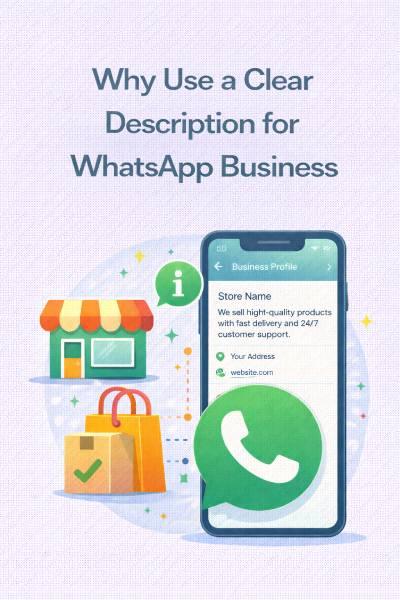
A clear & engaging description is fundamental to success on the WhatsApp Business platform. It immediately begins to build business credibility. A well-articulated profile shows professionalism and attention to detail. It instills confidence in the customer. Crucially, it helps customers quickly and unambiguously understand exactly what the business offers. Thus, preventing miscommunications and ensuring the business attracts relevant inquiries.
This clarity also indirectly boosts profile visibility and customer connections. It makes the business more memorable and easy to refer to. Finally, a strong description acts as a central piece of collateral. It supports broader marketing, customer support, and sales efforts. Thus, setting the right tone and expectations from the very first interaction.
How Can You Make Your WhatsApp Business Description Clear?
To ensure a WhatsApp Business description is highly effective, it must prioritize clarity and value. The text should be concise and simple. It focuses on the combination of what the business offers and the specific reasons a customer should choose them (the unique selling proposition).
Key strategies involve using relevant niche keywords to enhance context. It deliberately avoids technical jargon in favor of clear, customer-friendly language. Optionally, including critical operational details, such as working hours or a specific specialty, can further manage customer expectations. In short, the goal is to distill the business’s entire value proposition into a brief, easily understandable, and actionable message.
How to Add or Update Your WhatsApp Business Description :
Updating your WhatsApp Business description is a straightforward process, but applying best practices ensures the change is impactful. The method differs slightly depending on whether you use the free App or the more advanced API platform.
Step-by-Step Instructions for WhatsApp Business App (iOS/Android)
Open the App: Launch the WhatsApp Business application on your mobile device.
Go to Settings/Tools :
Android: Tap the three-dot menu (More options) in the top right corner, then select Business Tools.
iPhone: Tap Settings in the bottom right corner, then select Business Tools.
Access the Profile: Tap Profile (or Business Profile) at the top of the Business Tools menu.
Edit the Description: Scroll down to the Description field and tap the pencil icon or the field itself.
Enter/Edit Text: Write your new, optimized description (character limit is generally 256).
Save: Tap Save or Done to finalize the update.
Step-by-Step Process for WhatsApp Business API (Brief) :
For businesses using the WhatsApp Business Platform (API) for scale and advanced integration, updating the profile requires using the Meta Business Management API.
API Request: Developers or Business Solution Providers (BSPs) submit a programmatic POST request to the /PHONE_NUMBER_ID/whatsapp_business_profile endpoint.
Parameters: The request body includes the new description text as a parameter.
Platform/BSP: If you work with a BSP, you will typically update the description through the provider’s user-friendly dashboard, which then makes the API call on your behalf.
Best Practices When Updating Descriptions :
When you update your description, treat it like a new marketing opportunity:
A/B Test New Angles: If you’re updating, try a completely different approach (e.g., switch from highlighting service speed to product quality) to see what resonates better with customers.
Reflect Current Campaigns: Change the description to reflect active sales, new product launches, or seasonal offerings (e.g., “Holiday Gift Sets Available Now!”).
Align with Other Channels: Ensure your WhatsApp description uses the same core messaging and tone as your website and social media profiles for consistent branding.
Check Character Limit: The app limit is about 256 characters. Make sure your new text fits and is punchy.
How Often to Review and Refine :
The WhatsApp Business description is not “set it and forget it.” A good rule of thumb is to review and refine based on activity and seasonality :
Quarterly Review (Minimum): Review the description at least once every three months. It helps to ensure it is still accurate and compelling.
Event-Driven Updates: Change it immediately for:
- New product launches.
- Major sales or holiday campaigns.
- Changes to business operations (e.g., temporary shift in working hours or service areas).
Performance Tracking : If you track customer engagement (e.g., new chat volume), refine the description if engagement drops. It might signal that the messaging is no longer effective.
What Does a Clear WhatsApp Business Description Look Like?
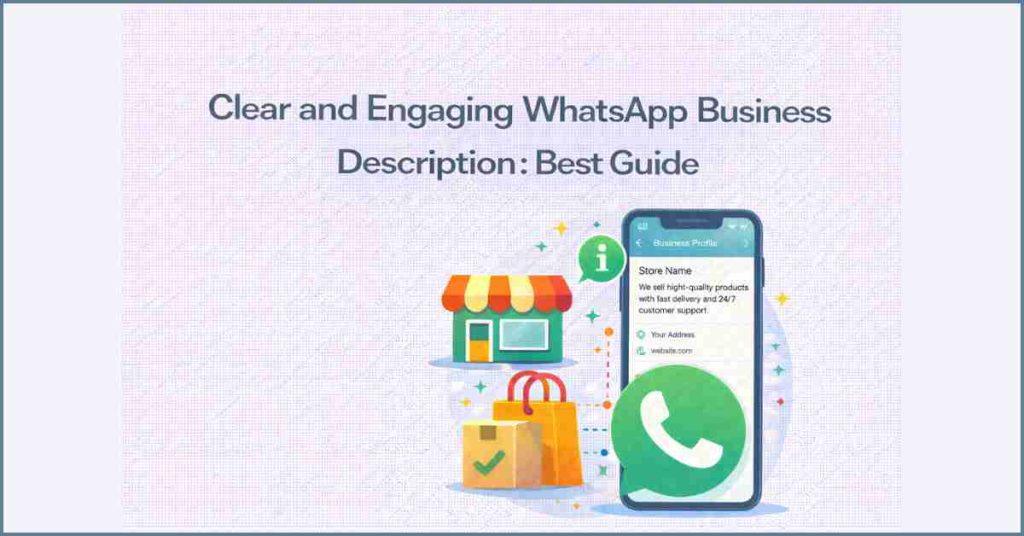
A highly effective WhatsApp Business description achieves clarity. It combines immediate identification with a compelling value proposition, as demonstrated by the example of “The Daily Bread Bakery.” This description works by clearly stating the core offerings (artisan sourdough and pastries) while simultaneously highlighting a crucial benefit (baked fresh daily) and a key logistical detail (local delivery).
Critically, it includes a clear Call-to-Action, directing the customer to view the catalog. This comprehensive clarity significantly enhances customer interactions. It sets accurate expectations and reduces the volume of irrelevant inquiries. Thus, quickly building trust and professionalism through precise messaging and an inviting tone.
Top 11 WhatsApp Business Description Samples :
Here are 11 top samples for various industries. It is designed to be catchy, clear, and action-oriented within the 256-character limit.
|
Industry
|
Description Sample
|
Focus & Key Elements
|
|---|---|---|
|
1. Retail Store
|
🛍️ Your local destination for curated home decor and unique gifts. New stock arrives weekly! Visit our profile for opening hours & address.
|
Local presence, Curated products, Action (Visit Profile).
|
|
2. Restaurant/Cafe
|
☕ Serving the city's best coffee & gourmet sandwiches. Order pickup or delivery now! Check our status for daily specials.
|
Core offering, Call-to-Action (Order), Time-sensitive info (Status).
|
|
3. Beauty Salon
|
✨ Expert hair styling, coloring, and manicures. Dedicated to your perfect look. Tap 'Book Appointment' below or view our service menu!
|
Expertise, Client focus, Clear CTA (Book Appointment).
|
|
4. Travel Agency
|
✈️ Your dream vacation starts here! Specializing in luxury tours and budget-friendly packages. Let us plan your next adventure!
|
Emotion (Dream), Core service (Specializing), Engagement (Let us plan).
|
|
5. Event Planner
|
💍 Creating unforgettable weddings, corporate events, and parties. Stress-free planning guaranteed. Message us to discuss your vision!
|
Key events, Value proposition (Stress-free), CTA (Message us).
|
|
6. Coaching/Training
|
🚀 Career growth & leadership coaching that gets results. Transform your potential into performance. Free 15-min consultation available!
|
Results-driven, Benefit (Transform potential), Lead magnet (Free consult).
|
|
7. Real Estate
|
🏡 Buying, selling, or renting? Your trusted local property experts. View our latest listings in the catalog. 24/7 client support.
|
Key services, Trust (Trusted experts), Platform CTA (Catalog).
|
|
8. E-commerce Brand
|
👟 The latest streetwear and exclusive sneakers. Free shipping on all orders over $75! Shop our full collection in the catalog now.
|
Product focus, Promotional offer (Free shipping), Strong CTA (Shop now).
|
|
9. Fitness Centre
|
💪 Achieve your fitness goals with our certified trainers & state-of-the-art gym. Join today! Ask about our 7-day free trial pass.
|
Goal-oriented, Key features (Trainers/Gym), Lead magnet (Free trial).
|
|
10. Medical Clinic
|
⚕️ Trusted general medical care for the whole family. Urgent appointments available daily. Call or message us to schedule your visit.
|
Focus (Family care), Availability (Urgent apps), Clear CTA (Call/Message).
|
|
11. Local Service Provider
|
💡 Fast & reliable electrical repairs and installations. Licensed and insured in all metro areas. Emergency service available 24/7.
|
Reliability, Credibility (Licensed/insured), Availability (24/7).
|
Updating & Optimizing WhatsApp Business Description Regularly :
Regular optimization of the WhatsApp Business description is necessary. It helps to maintain its effectiveness as a marketing tool. Updates should occur not just quarterly, but when there are significant event-driven changes. It can do new product launches or shifts in core business operations.
Furthermore, using seasonal & offer-based updates allows the description to promote time-sensitive sales or holiday campaigns. It helps in maximizing immediate engagement and sales. To determine the most effective messaging, businesses should employ an observational A/B testing process. It measures performance metrics like new chat volume before and after implementing a hypothesized change.
Finally, it is crucial that the description maintains consistency with all other parts of the WhatsApp presence. It includes the product catalog and automated messaging. It helps to ensure a unified brand experience that reinforces customer trust & professionalism.

WhatsApp Business API Services by Botbuz :
Botbuz is an authorized WhatsApp Business Solution Provider (BSP). It offers a comprehensive platform built on the WhatsApp Business API. The service is designed for businesses needing to scale their communication beyond the limits of the free app.
Botbuz’s core features include no-code chatbot automation for 24/7 customer support. The omnichannel support to centralize conversations from WhatsApp, Facebook & Instagram, and tools for bulk messaging (broadcasting). Additionally, they provide a shared inbox for multi-agent support and features for conversational commerce.
Using a BSP like Botbuz is vital for large-scale operations. It ensures compliance, scalability, and robust analytics. Thus, allowing businesses to automate and manage complex customer interactions effectively.
Conclusion :
WhatsApp Business description is crucial for establishing a positive first impression. It helps in driving initial customer engagement. A well-optimized description builds credibility and clearly communicates value. It successfully encourages customers to initiate contact.
However, once a high volume of inquiries is generated, the standard WhatsApp Business App is insufficient for managing the load. This is where using a platform like the Botbuz WhatsApp Business API becomes necessary. Botbuz enables businesses to scale their operations by using AI chatbots for instant, 24/7 support. It provides tools like a multi-agent inbox and e-commerce integrations.
Therefore, the description is essential for capturing attention. But the API solution is necessary to efficiently manage, automate, and monetize the resulting customer interactions at scale.