- Importance of Fast Replies in WhatsApp Business communication :
- What Are WhatsApp Business Quick Replies?
- How to Set Up Quick Replies in WhatsApp Business :
- How to Set Up Auto Reply WhatsApp Business Messages with Botbuz :
- What Should You Write in an Auto Reply Message in WhatsApp?
- A. Quick Reply Templates for E-Commerce Businesses
- B. Quick Reply Templates for Professional Consultancies
- C. Quick Reply Templates for Real Estate Businesses :
- D. Quick Reply Templates for Healthcare Businesses :
- E. General Quick Reply Templates (For All Industries) :
- Best Practices for Using Quick Replies Effectively :
- Automating Quick Replies with Chatbots :
- Turn Quick Replies Into a Productivity Booster With WhatsApp Business API and Botbuz :
Importance of Fast Replies in WhatsApp Business communication :
For businesses using WhatsApp, a quick reply is mandatory. Customers expect near-instant responses because they are using an instant messaging platform. Slow replies frustrate customers and can push them toward a competitor.
Quick Replies are pre-saved messages sent instantly using a simple shortcut (like /thankyou). It instantly provides accurate answers to common questions, satisfying the customer’s need for speed and consistency. Also It eliminates repetitive typing for your staff, saving time and allowing them to handle more conversations and focus on complex customer problems.
What Are WhatsApp Business Quick Replies?
Quick Replies are reusable message templates used in WhatsApp Business. They let you instantly send a complete, pre-written answer to a customer by typing a simple shortcut, like /hours. This ensures speed and consistency in your messaging. Quick Replies drastically simplify your workflow by cutting out repetitive typing. Agents can handle more chats and respond much faster to common inquiries, which significantly improves overall efficiency and service quality.
Quick Replies are manually sent by an agent to answer a specific question during a conversation. For e.g., providing a refund policy. Auto-Replies like Away Messages are automatically sent when conditions are met. For e.g., replying instantly when a customer messages after business hours to manage expectations.
How to Set Up Quick Replies in WhatsApp Business :
Setting Up Quick Replies :
To create Quick Replies in the WhatsApp Business App, go to Business tools. Then select Quick replies, and tap the + icon. You must then type the full message content. Also assign a short, easy-to-remember Shortcut (e.g., /hours) before saving it.
Organizing Shortcuts :
Shortcuts should be short, clear, and descriptive (e.g., /policyrefund). Using a logical prefix (like /policy) helps group related messages. It makes it easy for agents to find the correct reply quickly without confusion.
Team Sharing :
For small teams using the basic WhatsApp Business App. Also quick replies are not shareable and must be manually copied by each agent. For larger teams, using the WhatsApp Business API is essential. The API allows for a centralized & shared library of replies. Also it ensures that every agent uses the exact same, up-to-date messages instantly.

How to Set Up Auto Reply WhatsApp Business Messages with Botbuz :
Botbuz uses the WhatsApp Business API to create smart, advanced auto-replies. It goes beyond the simple messages of the standard app. It excels because it uses intelligent keyword recognition. Also it uses sophisticated chatbots to provide 24/7 instant support.
Setting up involves integrating the API and defining triggers based on user input. You teach the bot using Business Keywords and FAQs. When a user sends a message, the bot matches the keywords to the best answer. Thus, allowing it to understand the customer’s intent even with spelling variations.
Botbuz automation includes dynamic Greeting Messages. It offers menus, advanced Away Messages that collect information, and smart FAQ Responders. They instantly deliver policies or forms based on the customer’s question.
Using the Botbuz API allows for high scalability and personalization. For e.g., using the customer’s name. The main benefit is providing 24/7 support and achieving major operational savings. It is done by automating most routine customer questions.
What Should You Write in an Auto Reply Message in WhatsApp?
A good auto-reply must first acknowledge the message and thank the customer. Second, it must state why you can’t reply immediately (e.g., closed, high volume). Most importantly, it must set a clear expectation for when they will receive a human response.
The tone should always be courteous and welcoming. It reflects the brand’s voice while maintaining professionalism. The message should be formatted clearly with short lines, making it easy to read on a mobile device.
DO be specific about response times (e.g., “within 2 hours”) and offer helpful alternatives like an FAQ link. DON’T make the message too long or promise an instant reply if you cannot deliver it. Always check for accuracy and working links.
A. Quick Reply Templates for E-Commerce Businesses
|
Topic
|
Shortcut Suggestion
|
Template Message
|
|---|---|---|
|
Payment Methods
|
/paymentmethods
|
We accept Visa, MasterCard, PayPal, and UPI payments (PhonePe/GPay). You can select your preferred method at checkout!
|
|
Item Out of Stock
|
/outofstock
|
We apologize! The item you're interested in is currently out of stock. You can sign up here [Link] to be notified immediately when it's back.
|
|
Discounts & Offers
|
/discounts
|
Yes! We're currently running a 10% OFF promotion on all accessories. Use code WELCOME10 at checkout.
|
|
Payment Issues
|
/paymentfail
|
We see your payment failed. Please check your card details, ensure sufficient funds, or try an alternate payment method. Need help? Click here: [Link]
|
|
Return Policy
|
/returnpolicy
|
We offer a 30-day return policy on all unworn/unused items. For full details and to start a return, visit: [Link to policy]
|
|
Refund Notification
|
/refundsuccess
|
Great news! Your refund of [Amount] has been successfully processed. Please allow 5-7 business days for the funds to reflect in your account.
|
|
Delivery Services
|
/deliveryservice
|
We provide various options for all standard deliveries. Express delivery options are available at checkout for an added fee.
|
|
Order Updates
|
/orderstatus
|
You can track your order status live at any time by entering your order number here: [Tracking Link]. It will be updated within 24 hours.
|
B. Quick Reply Templates for Professional Consultancies
|
Topic
|
Shortcut Suggestion
|
Template Message
|
|---|---|---|
|
Custom Quote Request
|
/quote
|
To provide an accurate custom quote, please tell us more about your project goals and budget range. We will send a formal proposal within 48 hours.
|
|
Virtual Consultation
|
/consult
|
Ready to book your consultation? You can view our availability and select a time slot directly on our booking page: [Booking Link]
|
|
Case Studies/Portfolio
|
/portfolio
|
Absolutely! You can download our latest case studies and view our full project portfolio here: [Link to Portfolio PDF/Webpage]
|
C. Quick Reply Templates for Real Estate Businesses :
|
Topic
|
Shortcut Suggestion
|
Template Message
|
|---|---|---|
|
Financing Assistance
|
/financing
|
We work with preferred mortgage brokers who can help you secure financing. Would you like us to connect you for a pre-approval consultation?
|
|
Buy/Rent Process
|
/buyprocess
|
The first step is to get pre-approved! Then, we schedule showings. You can view our 5-step buying guide here: [Link to Guide]
|
|
Price Negotiation/Availability
|
/checkavail
|
I'm checking the availability and current price for you now. The unit is priced at [Price]. What is your preferred closing date?
|
D. Quick Reply Templates for Healthcare Businesses :
|
Topic
|
Shortcut Suggestion
|
Template Message
|
|---|---|---|
|
Insurance Coverage
|
/insurance
|
We accept most major insurance plans, including [Plan A], [Plan B], and [Plan C]. Please share your insurance ID so we can verify coverage details for you.
|
|
Payment Plans
|
/paymentplans
|
Yes, we offer flexible payment plans over 6 or 12 months for out-of-pocket costs. You can apply here for an instant approval: [Link to Payment Plan Application]
|
|
Telehealth Details
|
/telehealth
|
Your virtual appointment will be held via Zoom/Secure Video Link. Please click the link sent to your email 5 minutes before the scheduled time.
|
E. General Quick Reply Templates (For All Industries) :
|
Topic
|
Shortcut Suggestion
|
Template Message
|
|---|---|---|
|
Greeting New Customers
|
/hello
|
Hello! Welcome to [Business Name]. How can I help you today? Feel free to ask about our services, pricing, or support!
|
|
Store Hours/Timings
|
/hours
|
We are open Monday to Friday, from 9:00 AM to 6:00 PM (Local Time). We look forward to hearing from you during these hours!
|
|
Delayed Reply Message
|
/delay
|
Thank you for your patience! We are currently experiencing high message volume. We appreciate your patience and will respond to your query shortly.
|
|
Follow-up Reminder
|
/followup
|
Checking in! We sent you information about [Topic] a few days ago. Were you able to review it, and do you have any questions?
|
|
Requesting Feedback
|
/feedback
|
Thank you for your business! We strive to improve. Would you take 2 minutes to share your feedback on our service? [Link to Survey]
|
|
Handling Complaints
|
/apology
|
We sincerely apologize for the issue you experienced. Please provide your order/account number so we can immediately investigate and find a solution for you.
|
|
Booking an Appointment
|
/book
|
You can schedule an appointment with us instantly by visiting our online calendar here: [Booking Link]
|
|
Asking for a Referral
|
/referral
|
If you enjoyed our service, please share our details with friends! We offer a [Offer] discount for every successful referral you make.
|
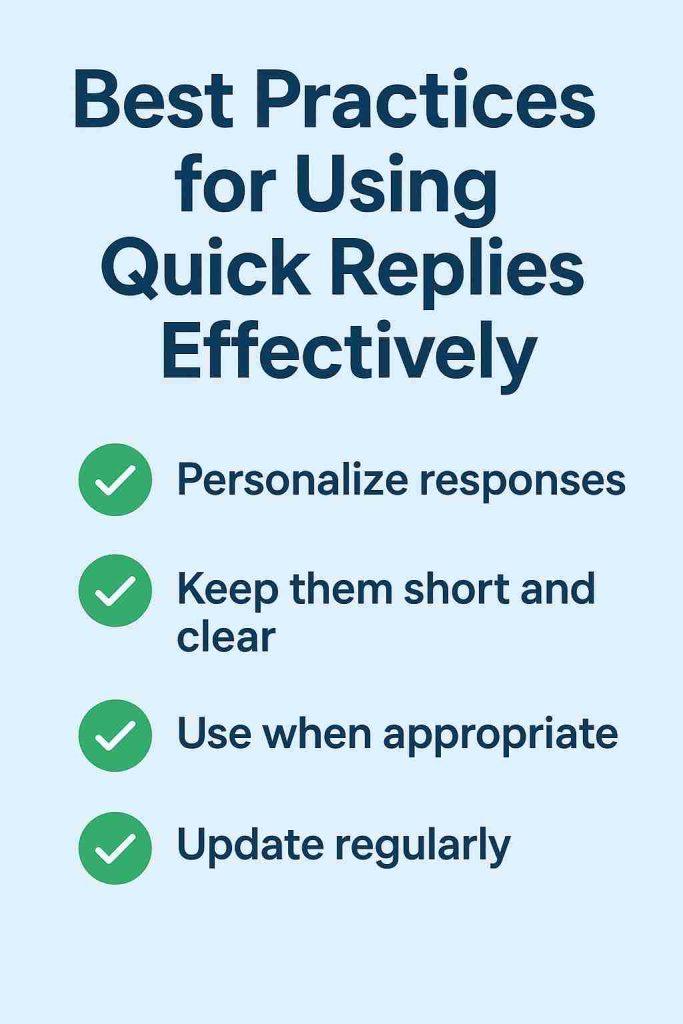
Best Practices for Using Quick Replies Effectively :
Quick Replies should always be short and conversational. Use line breaks and simple language to make the message easy to read on a mobile screen. Also avoiding large walls of text that look robotic.
Personalization and Updates
If using the API, include personalization tags like [Customer Name] or [Order Number]. It makes automated replies feel custom-made. Additionally, update templates regularly. For e.g., check links and current offers. It helps to ensure that the information shared is always accurate.
Brand Consistency
Finally, every quick reply must maintain your consistent brand voice. Whether formal or casual, the tone across all automated messages should be the same. This ensures professionalism and reinforces your brand identity with every interaction.
Automating Quick Replies with Chatbots :
Integrate Quick Replies with a chatbot via the API. It moves customer service from human efficiency to full automation. This provides instant 24/7 support. It offers immediate customer satisfaction & delivers unparalleled speed and consistency in every response.
Automated quick replies are crucial for continuous support in several areas. They are used for Triage and Routing i.e. directing customers to the right place. Order Tracking i.e. providing real-time status updates instantly. Knowledge Base Delivery i.e. sending policy documents immediately when keywords are detected.
Ultimately, automation helps to resolve the majority of repetitive customer queries instantly. It leads to high scalability and significant cost efficiency. Thus, reducing the workload on your human support staff.
Turn Quick Replies Into a Productivity Booster With WhatsApp Business API and Botbuz :
Botbuz utilizes the WhatsApp Business API to automate quick replies. Its AI instantly recognizes customer intent and triggers the correct pre-written message. Thus, allowing the system to handle thousands of queries simultaneously. This moves support from human efficiency to reliable, scalable automation.
Team Productivity Features
Botbuz provides a multi-agent inbox. It helps all agents to share the same centralized quick reply library. Thus, ensuring consistency. It also uses Smart Routing to assign chats to the right agent instantly. Thus, utilizing Tags for quick organization and prioritization.
AI-Powered Efficiency
The platform dynamically uses personalization. It inserts names/order numbers into replies, saving manual editing time. By having AI handle all routine questions, human agents focus only on complex tasks. It significantly reduces manual typing and maximizes team productivity.
Why Choose Botbuz
Businesses use Botbuz for its combination of the API and AI tools. It enables them to offer 24/7 instant service, maintain messaging consistency & lower support costs. Thus, raising customer satisfaction.
Conclusion :
Quick Reply Templates are essential for fast, effective customer service on WhatsApp. They ensure that common questions about your products or services are answered instantly and accurately. It keeps the sales conversation moving and significantly helps in speeding up conversions.
Manual Quick Replies are helpful. But achieving speed and consistency at a large scale requires the WhatsApp Business API via a platform like Botbuz. Botbuz automates these replies using AI. It enables 24/7 instant support. Also it ensures that every customer receives a perfectly consistent & timely message.
Using Botbuz transforms WhatsApp support. It offers guaranteed continuous service and maintaining perfect brand messaging consistency. By offloading repetitive work to AI, human agents can focus entirely on high-value interactions. Thus, making WhatsApp channel a cost-efficient and powerful conversion engine.