- Utility WhatsApp Templates and their Growing Relevance :
- What is a Utility Message Template?
- Why Do Businesses Use Utility WhatsApp Templates ?
- What are WhatsApp Utility Templates Used For?
- What Makes a Utility Template Different from a Marketing Template?
- Utility WhatsApp Template Message Examples That Get Approved :
- Using Botbuz for Utility WhatsApp Template :
Utility WhatsApp Templates and their Growing Relevance :
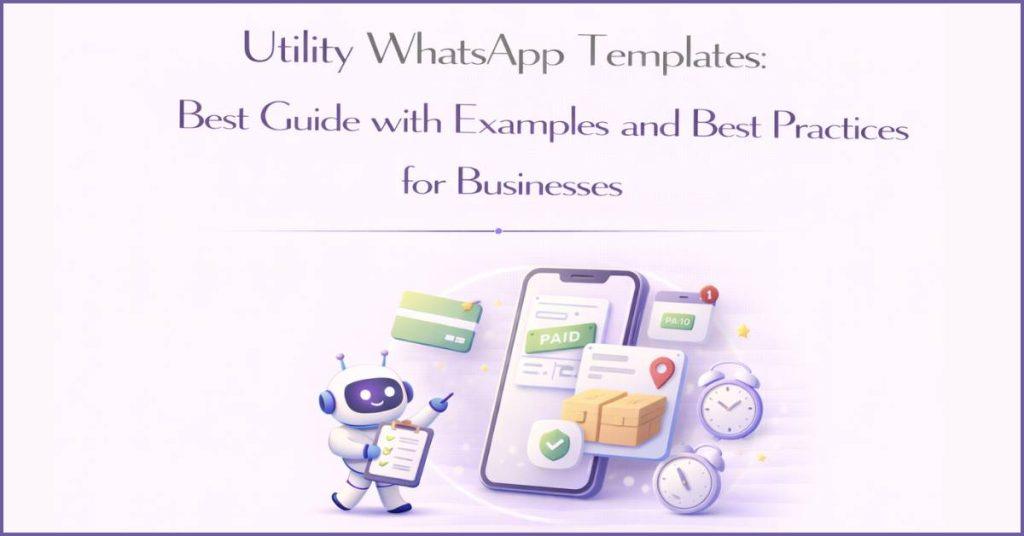
WhatsApp Utility Templates are automated, pre-approved messages that businesses use to send critical, non-marketing updates directly to a customer’s phone. Instead of sending promotional ads, these templates focus purely on essential transactional info like order confirmations, delivery tracking links, payment receipts, or appointment reminders. Because people open WhatsApp far more often than email, these quick notifications keep customers informed in real time, dramatically cutting down on customer support questions and building instant trust.
What is a Utility Message Template?
A WhatsApp Utility Template is like a digital receipt or a quick status update that a company sends directly to a customer’s phone to share important, non-advertising facts. Meta, the company that owns WhatsApp, splits business messages into different categories, and they have strict rules to make sure utility messages only contain helpful details—like confirming an order, sending a shipping tracking link, or reminding someone of a dentist appointment—instead of annoying sales pitches.
If a company tries to sneak in a discount code or an ad, Meta’s systems will instantly catch it and label it as a marketing message instead. Ultimately, the whole purpose of these templates is to give people quick, reliable answers about their purchases or accounts right when they expect them, which keeps customers happy and stops them from needing to call customer support for help.
Why Do Businesses Use Utility WhatsApp Templates ?
Businesses use WhatsApp Utility Templates because they instantly solve the problem of getting important information to customers right when they need it. The moment someone buys an item or books an appointment, an automatic system sends a quick text straight to their WhatsApp, which people open almost 98% of the time—way faster than checking a buried email inbox.
By sending these instant tracking links and payment confirmations, companies build a lot of trust and keep things completely transparent so customers don’t have to stress. Best of all, because people are kept completely in the loop, they don’t have to constantly message customer support to ask routine questions like “where is my order,” which saves the company tons of manual work and allows them to help other people faster.
What are WhatsApp Utility Templates Used For?
Order & Booking Confirmations
When you buy a cool gadget online or reserve a seat for a movie, the company sends an instant confirmation message to your phone. It includes important details like your receipt number, exactly what you bought, and how much you paid. This lets you know right away that your purchase went through safely and that the business is working on it.
Shipping & Delivery Alerts
Nobody likes waiting around wondering where their package is, so businesses send automatic shipping alerts. These messages give you a live tracking link so you can see exactly where your box is on a map. They will even text you the moment the delivery driver drops it off on your porch so you can grab it right away.
Payment & Subscription Updates
When it comes to money, companies use these texts to keep your accounts secure and active. They will message you digital receipts after you buy something, or send a gentle reminder if a monthly app subscription fee is coming up. It helps you keep track of your allowance or spending without any surprise charges.
Appointment, Educational & Event Reminders
If you have a dentist appointment, a soccer practice change, or an online class coming up, businesses send a quick reminder notice. These messages usually have handy buttons at the bottom that let you tap “Confirm” or “Reschedule” in one second. This stops people from forgetting where they need to be and helps businesses run on time.
Customer Support & Account Updates
If you ever change your account password or file a help ticket because an app isn’t working, you will get a security notification. It acts like a digital bodyguard, letting you know your account was updated or that a customer support agent is working to fix your problem. This keeps your private information safe and lets you know help is on the way.
What Makes a Utility Template Different from a Marketing Template?
Think of a Utility Template as a digital receipt or a school permission slip—it only gives you facts you actually need, like confirming you paid for something or telling you that your flight is delayed. On the other hand, a Marketing Template is like a colorful commercial or a coupon book; its main goal is to convince you to spend money, offering things like 20% discounts or reminding you that you left items in an online shopping cart.
Meta, the company behind WhatsApp, checks these messages very strictly. If a business tries to hide a tiny advertisement or a sales word inside a helpful receipt message, Meta will automatically catch it, change its category to marketing, and charge the business a higher fee. Customers expect utility messages because they just bought something, but marketing messages are completely extra surprises designed to boost sales.
Utility WhatsApp Template Message Examples That Get Approved :
To get templates approved in the Utility category, the text must remain strictly functional and free of promotional language. Meta’s automated AI scanner will automatically reclassify your message as “Marketing” if it detects sales pitches, discount codes, or persuasive call-to-action words.
Here are production-ready utility templates, complete with their optimal use cases, designed to pass Meta’s verification process.
1. Order Confirmation Template
Sample Message:
“Hello {{1}}, your order {{2}} has been successfully received. We are processing your items and will notify you as soon as they are ready for dispatch. Thank you for your purchase.”
Best Use Case: Triggered immediately after a customer completes a checkout flow on an e-commerce platform or website.
2. Shipping Update Template
Sample Message:
“Hi {{1}}, your items from order {{2}} have been handed over to our courier partner. You can track the progress of your shipment live using this link: {{3}}.”
Best Use Case: Triggered automatically when a warehouse team scans a package and generates a tracking manifest.
3. Delivery Confirmation Template
Sample Message:
“Great news {{1}}! Your package from order {{2}} was successfully delivered to your address today. If you have any questions regarding your package, please reply to this message.”
Best Use Case: Sent the moment a logistics provider changes a package status to “Delivered” in their tracking system.
4. Payment Confirmation Template
Sample Message:
“Dear {{1}}, we have successfully received your payment of {{2}} for invoice reference {{3}}. Your account balance has been updated accordingly.”
Best Use Case: Sent instantly by payment gateways or accounting platforms when an online payment goes through.
5. Payment Reminder Template
Sample Message:
“Hello {{1}}, this is a friendly reminder that your payment of {{2}} for invoice {{3}} is due on {{4}}. You can complete the transaction here: {{5}}.”
Best Use Case: Sent automatically by invoicing software 3 to 5 days before an invoice deadline to prevent service disruption.
6. Appointment Reminder Template
Sample Message:
“Hello {{1}}, this is a reminder for your upcoming consultation with {{2}} scheduled for {{3}} at {{4}}. Please arrive 10 minutes early.”
Best Use Case: Sent 24 hours in advance by medical clinics, salons, or professional service agencies to reduce costly no-show rates.
7. Booking Confirmation Template
Sample Message:
“Hi {{1}}, your reservation at {{2}} is confirmed for {{3}}. Your unique booking reference ID is {{4}}. We look forward to hosting you.”
Best Use Case: Triggered immediately after a customer books a hotel room, restaurant table, or rental car.
8. Subscription Expiry Reminder
Sample Message:
“Dear {{1}}, your subscription for {{2}} will expire on {{3}}. To ensure your access remains active without interruption, please update your billing details here: {{4}}.”
Best Use Case: Sent 7 days before a manual-renewal software plan or service access runs out.
9. Delivery Attempt Notification
Sample Message:
“Hello {{1}}, our courier partner attempted to deliver your package {{2}} today but was unable to reach you. They will make a second attempt tomorrow on {{3}}.”
Best Use Case: Triggered by logistics portals when a delivery driver logs a “failed attempt” status on the road.
10. Subscription Renewal Reminder
Sample Message:
“Hi {{1}}, your automated monthly renewal for {{2}} is coming up on {{3}}. A recurring payment of {{4}} will be securely charged to your saved card.”
Best Use Case: Sent to subscribers 2 to 3 days before an automatic card charge to ensure billing transparency.
11. Invoice Generated Template
Sample Message:
“Dear {{1}}, a new invoice {{2}} has been generated for your account for the period of {{3}}. You can download the complete PDF breakdown here: {{4}}.”
Best Use Case: Used by B2B vendors, SaaS platforms, or utility companies at the end of a regular monthly billing cycle.
12. Refund Processed Template
Sample Message:
“Hello {{1}}, we have processed a refund of {{2}} for your order {{3}}. The amount will be credited back to your original payment method within 5 to 7 business days.”
Best Use Case: Triggered by finance teams or e-commerce backends when an item return is authorized and complete.
13. Support Ticket Created Template
Sample Message:
“Hi {{1}}, your support request regarding {{2}} has been successfully logged. Your ticket ID is {{3}}. Our team is reviewing it and will respond shortly.”
Best Use Case: Send the moment a customer submits a problem report or email through a helpdesk platform.
14. Support Ticket Resolved Template
Sample Message:
“Hello {{1}}, our technical team has marked your support ticket {{2}} as resolved. If your issue persists, please reply to this thread to reopen the case.”
Best Use Case: Triggered when a customer service agent marks a support ticket as “Closed” or “Solved” in a CRM.
15. Event Registration Confirmation
Sample Message:
“Thank you for registering, {{1}}! Your spot for the {{2}} event on {{3}} is officially locked in. Your entry pass and digital join link can be found here: {{4}}.”
Best Use Case: Sent by event management or ticketing tools immediately after an attendee registers for a seminar or conference.
16. Class Reminder Template
Sample Message:
“Hi {{1}}, this is a quick reminder that your live training session on {{2}} starts in 15 minutes at {{3}}. Please ensure you have a stable internet connection.”
Best Use Case: Triggered by automated learning management systems (LMS) right before an online batch or coaching session begins.
17. Shipment Delay Template
Sample Message:
“Hello {{1}}, we regret to inform you that your shipment for order {{2}} has been delayed due to unexpected logistics issues. Your revised delivery date is now {{3}}.”
Best Use Case: Used by supply chain teams to proactively manage expectations when a transit error or weather delay occurs.
18. Service Activation Template
Sample Message:
“Great news {{1}}! Your profile configuration is complete, and your access to {{2}} has been successfully activated. You can log in and start using it here: {{3}}.”
Best Use Case: Sent by software platforms or telecommunication services as soon as a user’s account setup goes fully live.
19. Appointment Rescheduled Notification
Sample Message:
“Hello {{1}}, your appointment has been successfully updated. Your new session is confirmed for {{2}} at {{3}} with {{4}}. See you then.”
Best Use Case: Sent when either the customer or the business modifies an existing reservation timing inside a calendar system.
20. Feedback Request Template
Sample Message:
“Hello {{1}}, now that your service ticket {{2}} is complete, we would appreciate it if you could rate your experience with us. Please tap the selection below.”
Best Use Case: Sent 1 to 2 hours after a transaction or service interaction finishes.
Important Meta Rule for Feedback: This template is only approved as a Utility message if it specifically references a past transaction or closed support interaction to measure service quality. Generic survey requests sent out of nowhere are classified as Marketing.

Using Botbuz for Utility WhatsApp Template :
Using the Botbuz platform is like giving a business a smart, visual control panel that runs all its important customer updates on autopilot. Instead of dealing with confusing code, users can quickly drag and drop text flows, automatically fill in blank spaces with custom customer details from their store, and set up quick-reply buttons in seconds.
The chatbot is even smart enough to step in and answer questions if a customer replies to an alert, or pass the chat directly to a human support worker. Ultimately, Botbuz acts as a helpful assistant that keeps messages organized, fast, and completely compliant with Meta’s strict rules.
How to Create a Utility WhatsApp Template in Botbuz ?
Creating a utility message on the Botbuz platform is just like setting up a smart, automated text system in a few simple steps. First, the user logs into their account, goes to the template section, and creates a new message under the Utility category to show it is for important updates, not advertisements.
Next, they write out the message text and leave empty slots called variables, which act like blank spaces where a computer can automatically fill in details like a person’s name or a real-time tracking code. They can also attach quick buttons at the bottom so customers can visit a website or reply with a single tap. Finally, they hit submit to send it to Meta for a quick safety check, and once a green approval checkmark shows up on the dashboard, the business can immediately start sending these automated updates to their customers.
Benefits of Creating Utility Templates with Botbuz :
Using the Botbuz platform makes managing WhatsApp messages incredibly simple because it acts like a smart control center for a business. Instead of dealing with confusing computer code, a user gets an easy, organized dashboard where they can check their text layouts and get them approved by Meta much faster without accidental mistakes.
The coolest part is that Botbuz connects directly to a company’s other systems—like their online store or student roster—so the moment an action happens, an automatic text flies out to the customer’s phone without anyone needing to type it manually.
Plus, Botbuz comes with built-in report cards that show exactly when messages are delivered, if they were opened, and which quick buttons were tapped. This lets companies see exactly how well their updates are working in real time, keeping everything running like clockwork.
Conclusion :
In short, WhatsApp Utility Templates are an essential modern tool that replaces easily missed emails and spammy SMS with instant, ad-free transactional facts. When paired with a smart automation platform like Botbuz, these critical updates—like shipping tracking or payment receipts—run completely on autopilot. This combination eliminates customer anxiety, drastically cuts down on repetitive support tickets, and provides clear analytics, allowing growing businesses to build instant trust and scale their operations effortlessly.