- Transactional Messages and their Impact on Customer Experience and Sales :
- What are Transactional Messages?
- What is a Transactional Message on WhatsApp?
- Why do Transactional Messages Play a Key Role in Online Business?
- How Do You Send a Transactional Message on WhatsApp?
- WhatsApp Transactional Message API :
- Key Characteristics of Transactional Messages :
- How to Implement Transactional Messages ?
- Transactional Messaging With Botbuz :
Transactional Messages and their Impact on Customer Experience and Sales :
In the digital business world, fast and clear communication is essential. It makes WhatsApp the top choice for sending instant updates. Unlike cluttered emails or spammy text messages, WhatsApp alerts are seen almost immediately. Businesses use the platform to send automated transactional messages. It can be order confirmations, tracking links, and digital receipts. It often includes helpful features like clickable buttons and maps. By keeping customers effortlessly informed and stress-free, this seamless communication builds instant trust. It helps in encouraging future sales.
What are Transactional Messages?
Transactional messages are automated, real-time alerts. It is triggered by a specific customer action. It is designed solely to deliver critical, non-promotional information. Their main purpose is to reassure and inform the user. It is done by providing instant transparency, security & updates on everyday business interactions. It can be One-Time Passwords (OTPs), order confirmations, bank alerts, and delivery tracking.
Within the customer journey, these messages are vital. It is because they eliminate post-purchase anxiety. Also it answers logistical questions before the customer even has to ask. By delivering this seamless, proactive communication, businesses drastically reduce support tickets. It helps in building the core foundation of trust. It is needed to turn one-time buyers into loyal clients.
What is a Transactional Message on WhatsApp?
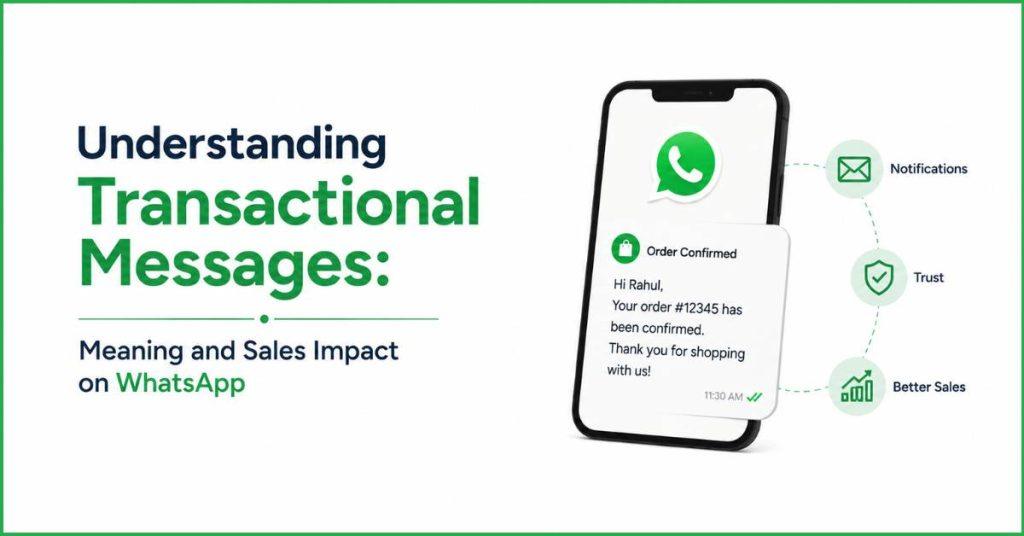
A WhatsApp Transactional Message is an automated, real-time alert. It is sent by a business to a customer via the WhatsApp Business API. These messages are explicitly triggered by a user’s action or a change in their account status. Their sole purpose is to deliver non-promotional, essential information.
Unlike standard text messages, businesses use WhatsApp to send these updates. It is because they can include rich media, PDF files, interactive buttons & clickable links. This makes taking next steps incredibly easy for the customer.
Examples of WhatsApp Transactional Messages :
Order Confirmations: Sent instantly after a purchase. They provide peace of mind by showing exactly what was bought. Also the total amount paid, and an estimated delivery date.
Shipping Updates: Keep customers informed about their package’s journey. These usually contain live tracking links or clickable tracking buttons. Thus, the customer knows exactly when to expect their delivery.
Appointment Reminders: Automated alerts sent by clinics, salons, or service centers ahead of a scheduled time. It often features “Confirm” or “Reschedule” quick-reply buttons.
Payment Confirmations: Instant receipts sent by banks, utilities, or subscription platforms. It confirms that a payment or automated renewal went through successfully.
Account Notifications: Security alerts or operational changes, such as password reset links, One-Time Passwords (OTPs) for logging in, or low-balance warnings.
Why do Transactional Messages Play a Key Role in Online Business?
Transactional messages are essential for online businesses. It is because they bridge the gap between a digital purchase & long-term customer loyalty. It delivers real-time updates like order confirmations and tracking links directly to a customer’s preferred app. They replace post-purchase anxiety with instant peace of mind, building foundational brand trust.
This proactive communication completely intercepts repetitive customer inquiries such as “Where is my order?. It drastically reduces the customer support workload and operational costs. Ultimately, by creating an effortless, transparent, and premium experience from checkout to delivery, transactional messages drive up customer satisfaction. It naturally turns one-time shoppers into loyal, repeat buyers.
How Do You Send a Transactional Message on WhatsApp?
To send automated updates on WhatsApp, a business can’t just use a regular phone app like we do to chat with friends. Instead, they connect their online store to a special, high-powered system called the WhatsApp API.
Before sending any messages, the company has to write out a blank script or “template”. It can be like “Hi [Name], your order number [Number] is ready!”—and get it approved by WhatsApp to make sure it isn’t spam. Once approved, the business links this template to their website.
The very second a customer clicks “Buy,” the computer automatically grabs the customer’s name and order details. It fills in the blanks of the script, and fires it over to their phone instantly. To keep everything running smoothly, the business must follow strict rules. It means they can only send helpful info. They are absolutely not allowed to sneak in random advertisements or sales pitches.
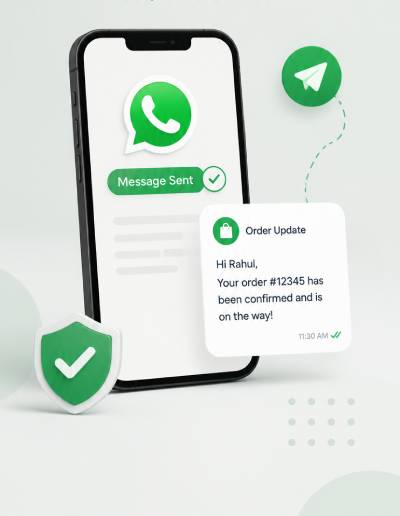
WhatsApp Transactional Message API :
The WhatsApp Business API is like a super-powered digital post office. It connects a company’s computer system straight to WhatsApp. Instead of a person typing out individual texts, the business connects this tool to their online store or database. It allows computers to automatically send out thousands of custom messages at the exact same time.
The coolest part is that it doesn’t just send boring words. It can send helpful things like clickable “Track Package” buttons, digital PDF receipts, maps & secure log-in codes. Businesses love using it because it is much cheaper than normal ads. It is because almost everyone checks WhatsApp instantly. So, it keeps customers happy by answering their questions before they even have to ask. It is basically a team player that plugs into a company’s software. It helps to handle all the tricky, automatic updates completely behind the scenes.
Key Characteristics of Transactional Messages :
Event-Triggered :
Event-Triggered means these messages never just appear out of nowhere. They work like a domino effect that only starts when a person takes a specific action. The computer system stays completely quiet until a customer flips a digital switch. It is like clicking a “Buy Now” button. It requests a password reset, or when a delivery driver physically scans a package at the warehouse.
Informational and Relevant :
Informational & Relevant means the message contains strictly the facts and zero fluff. There are no annoying advertisements, coupons, or sales pitches hidden inside. It gives the customer exactly the data they need at that exact moment. It is like a clear digital receipt or a flight arrival time, making it highly useful instead of annoying.
Time-Sensitive :
Time Sensitive means these alerts have to be delivered incredibly fast, or they become completely useless. If a user is trying to log into their video game account and needs a secret verification code, they need it to pop up on their phone within a few seconds before the screen times out. It makes delivery speed absolutely critical.
Personalized
Personalized means the message is custom-made for just one specific person rather than being blasted out to a huge crowd. Even though a computer handles the delivery, the system automatically swaps in unique personal details. It ensures that the text displays the customer’s actual name. Also their exact order number, and the correct items they purchased.
Automated
Automated means that real human beings aren’t sitting behind a desk typing these messages out one by one. Instead, smart computer software runs the entire show behind the scenes. The moment a customer triggers an action, the code instantly builds the message. It fills in the blanks, and shoots it over to the phone completely untouched by human hands.
Also Read : WhatsApp Sales Funnel Automation for Startups | Practical Framework Guide.
Action-Oriented
Action-Oriented means the message makes it incredibly easy for the customer to take their very next step. Instead of just showing plain text, it usually includes helpful, interactive features. It can be like a big clickable “Track Package” button, a “Confirm Appointment” option, or a direct link to download a map. It helps the user to get things done instantly.
How to Implement Transactional Messages ?
To set up automated messaging, a business first maps out the customer’s journey. It helps to find the exact moments they might need an update, like when they pay for an item or wait for a package to ship. Next, the company creates a strict plan for what the messages will say and sets up a backup option. It is like a normal text message, in case the internet goes down. They then fill in the blank text blueprints that WhatsApp’s parent company, Meta, must approve to prevent spam.
Finally, tech experts plug WhatsApp directly into the company’s main computer system. It creates automatic “tripwires”. It instantly texts the customer the exact millisecond an event happens, before running fake tests to fix any glitchy bugs.

Transactional Messaging With Botbuz :
Botbuz is a smart software platform. It acts like a digital helper to handle all of a company’s WhatsApp updates completely on autopilot. Instead of employees spending hours typing out messages by hand, Botbuz connects directly to a business’s main computer database or CRM system. It helps to automatically track when events happen. It is like a customer buying a product or scheduling an appointment.
The exact millisecond an action takes place, Botbuz triggers a real-time notification. It automatically fills in the customer’s personal details like their name or order number, and shoots a custom alert straight to their phone. By taking over this heavy lifting, the platform makes communication lightning-fast. It wipes out manual human mistakes, and ensures customers get instant, helpful updates. Thus it ultimately makes the business run much more efficiently while keeping its users incredibly happy.
Conclusion :
In the end, sending automatic updates on WhatsApp is a total game-changer. It is because it turns a boring receipt into a way to make customers truly love a brand. Instead of making people stress out while waiting for an email that might get lost in their spam folder, businesses can drop helpful, instant alerts right into the app everyone already uses every day.
By using a clever helper tool like Botbuz, companies don’t have to worry about the tech being too complicated. The software smoothly connects all the digital dots completely on autopilot. When a business makes tracking a package or getting a code feel as quick and easy as texting a best friend. It saves tons of time, build real trust. It naturally makes people want to buy from them again and again.