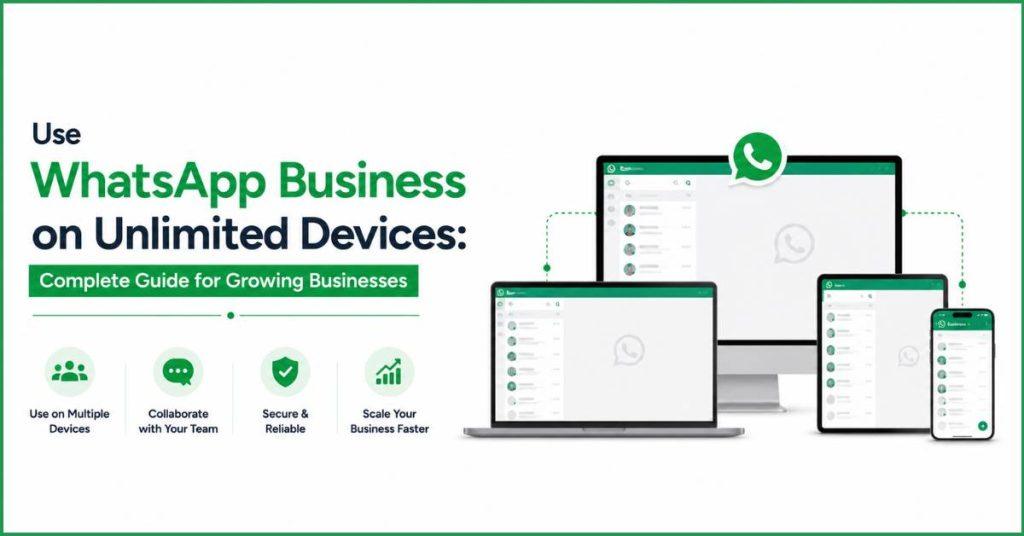
- Growing Need for Multi Device Access in Customer Communication :
- Why Do Businesses Need Access on Multiple Devices ?
- Can WhatsApp Business Be Used on Multiple Devices?
- How Many Devices Can WhatsApp Business Be Used On?
- How to Use WhatsApp Business on Multiple Devices?
- What Is WhatsApp Business Companion Mode?
- How to Link WhatsApp Business to a Second Phone?
- Using Meta Verified to Get WhatsApp Business on 10 Devices :
- What Is WhatsApp Coexistence?
- Meta Verified vs WhatsApp Business API: Which Is Right for Your Team?
- Using WhatsApp Business on Multiple Devices With Botbuz :
Growing Need for Multi Device Access in Customer Communication :
Imagine running a busy online store, but your only way to talk to customers is through a single smartphone. At first, it’s easy, but as your business grows, hundreds of people start texting you at the exact same time. It quickly becomes impossible for one person on one phone to reply to everyone. It causes frustrated customers to walk away.
To fix this, businesses need a system where a whole team of employees can log into the exact same WhatsApp account from their own computers at the same time. While the free WhatsApp app lets a few helpers jump in. But growing companies upgrade to a special system called the WhatsApp Business API. This completely removes the need for a physical phone. It allows hundreds of customer service agents to reply to messages all at once. Thus, ensuring no customer is left waiting.
Why Do Businesses Need Access on Multiple Devices ?
Using WhatsApp on just one phone for a business is like having a busy pizza place with only one phone line and one worker. The customers will get busy signals, orders will be missed, and the whole shop stops working if that single phone breaks or the worker takes a break. By opening up WhatsApp to multiple devices, it’s like suddenly hiring a full team. It is where everyone can pick up a screen and help out at the same time.
This means customers get answers in seconds instead of hours. Also different employees can easily pass a tricky question to the right expert without making the customer repeat themselves. Ultimately, it keeps the business running smoothly even if someone loses a phone. Thus, making sure every customer walks away happy because they were helped quickly and professionally.
Understanding WhatsApp’s Multi-Device Feature :
WhatsApp’s multi-device feature is like giving a business a master key that lets up to five people log into the exact same WhatsApp account. It uses their own computers, tablets, or extra phones. In the past, if the main business smartphone died or lost the internet, everyone else got kicked out. But with this feature, every device connects directly to the internet on its own. Thus, the team can keep chatting even if the main phone is completely turned off.
It works on web browsers and desktop apps while keeping all messages completely private and secure. However, the free version has a few limits. One can only link up to four extra devices, you can’t send massive group blast messages from the extra screens. Also if the main phone isn’t turned on at least once every 14 days, the system automatically logs everyone else out for security.
Can WhatsApp Business Be Used on Multiple Devices?
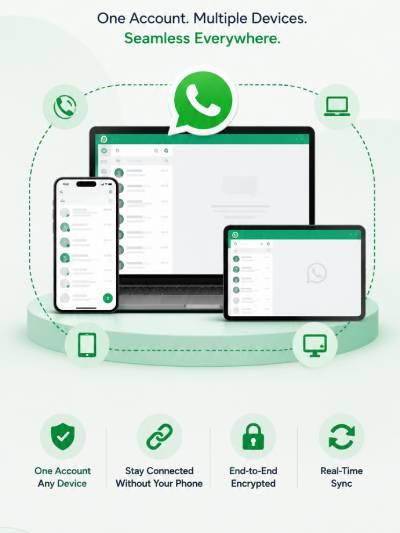
Yes, companies can absolutely use WhatsApp Business on multiple screens. The system has changed a lot over the years. It used to be that if the main business phone was turned off, all the connected computers would stop working too. But Meta updated the technology so that every linked computer or extra phone connects to the internet completely on its own. A personal WhatsApp account is just meant for one person using their laptop and phone. The Business version is built for teamwork. It allows different employees to log in and help customers at the same time.
Depending on how big the company is, Meta offers three choices. A free setup for up to five devices, a paid premium version that allows ten devices and lets managers assign specific customers to specific workers, and a super-powered API system that doesn’t need a physical phone at all and lets an unlimited number of employees chat with customers all at once.
Challenges of Using the Standard WhatsApp Business App on Multiple Devices :
Using the basic, free WhatsApp Business app for a growing team quickly creates a lot of stressful problems because it just isn’t built for a big company. First, it locks you into a strict limit of only five connected devices. It means once you have a sixth employee who needs to help out, they are completely locked out of the system. Second, when hundreds of customer messages come flying in at once, the inbox becomes total chaos. It is because everyone sees the exact same list, two workers might accidentally text back the same customer at the same time while other customers are totally ignored.
On top of that, there is no way for employees to pass a tricky question to a manager or leave private notes for each other inside the chat, and the app completely hides who typed what message. This leaves business owners totally in the dark. They are unable to track how fast their workers are replying or who is actually doing the work.
How Many Devices Can WhatsApp Business Be Used On?
The number of devices a company can use for WhatsApp Business depends entirely on which version they choose. For the standard free app, the account must be anchored to one main smartphone. The business can link up to four extra devices like laptops, tablets, or extra phones. Though these extra screens lose a few features, like the ability to send massive group text blasts.
If a company needs a bit more room, they can pay for Meta Verified. It expands the limit up to ten connected devices so a slightly bigger team can jump in. However, for large, growing businesses that have outgrown these small limits entirely. The WhatsApp Business API is the ultimate choice; it detaches the account from a physical phone completely. It lets an unlimited number of customer service agents log into a single shared inbox on their computers all at once.
How to Use WhatsApp Business on Multiple Devices?
Connecting extra devices to a business WhatsApp account is a quick process. It starts with a few basic rules. The main business phone must have the latest version of the app installed. All devices need a good internet connection, and the computer or tablet you want to add must have the WhatsApp Web page or app open to show a square barcode called a QR code.
To actually link them, a worker opens WhatsApp on the main phone. Then tap the settings menu to find the “Linked Devices” option, and hit “Link a Device.” After unlocking the phone with a fingerprint or passcode for safety, the phone’s camera pops up so the worker can simply point it at the computer screen to scan the QR code. Within a few seconds, the computer automatically downloads recent chats from the cloud and connects to the account. Thus, allowing a manager to name that device in the phone’s settings or remotely log it out whenever they want.
What Is WhatsApp Business Companion Mode?
WhatsApp Business Companion Mode is a feature that lets a company put its single WhatsApp account onto up to four extra smartphones or tablets, instead of just on computers. In the past, extra devices could only be regular computers running a web browser. But Companion Mode allows employees to download the actual WhatsApp mobile app on their own phones and use it just like the main account without needing a new SIM card.
This gives business owners huge benefits. It is because workers who are out traveling or making deliveries can carry the live customer inbox right in their pockets. It syncs everything in real time, meaning if one worker reads a message or updates a customer’s order status, everyone else sees that change instantly on their own screens, and it keeps working completely independently even if the company’s main office phone is completely turned off.
How to Link WhatsApp Business to a Second Phone?
To connect a second smartphone to a business WhatsApp account, a worker starts by installing a fresh copy of the WhatsApp Business app on the new phone, but instead of typing in a phone number, they tap the menu icon in the corner and choose “Link as companion device” to display a square QR code. Next, they open the account on the main business phone, go to the “Linked Devices” settings, unlock it with a passcode or fingerprint. They can scan that QR code using the main phone’s camera.
If the code won’t scan, turning up the screen brightness or cleaning the camera lens usually solves it. If the chats take a while to load, keeping both phones on fast Wi-Fi keeps the download moving. Once it’s done, the second phone is ready to go. But a manager must remember to turn on the main office phone at least once every 14 days, or Meta’s security system will automatically log the second phone out.
Free WhatsApp Business App Multiple Devices Login Limitations :
Using the free WhatsApp Business app for a growing company is like trying to run a major delivery business out of a tiny two-door car. It is because the app’s limits quickly cause a lot of chaos. It locks you into a strict limit of just five connected devices. It means once your team grows, extra employees are completely locked out of helping customers.
Inside the app, there is no way to assign specific messages to specific workers. It gives different employees different privacy permissions, or even see which worker actually typed a reply. This lack of control leads to major headaches where two employees might accidentally text back the same customer at the exact same time, while other important messages get totally buried at the bottom of the list. Ultimately, these bottlenecks slow down response times, frustrate customers, and stop a growing company from reaching its full potential because the basic software simply can’t keep up with a big team.
Using Meta Verified to Get WhatsApp Business on 10 Devices :
To help a growing company handle customer messages across multiple screens, Meta offers two main choices. The first choice is Meta Verified, a paid monthly subscription. It expands the app’s limit up to ten connected devices, gives the company a trustworthy green checkmark badge, and provides priority tech support, though it still uses a basic shared inbox that can get messy.
The second, more powerful choice is the WhatsApp Business API. It is a cloud-based system built for large companies that gets rid of the physical phone entirely. Thus, allowing an unlimited number of workers to help customers all at once on their computers.
Because the API connects directly to professional team software, it unlocks super-advanced tools like 24/7 AI chatbots. It provides deep connections to customer databases, and tracks dashboards that let managers see exactly how fast employees are responding. This cloud setup allows workers to assign specific chats to the right departments, write hidden internal notes to coordinate with teammates. Also it helps to track individual performance so the business can grow smoothly without any tech limits.
What Is WhatsApp Coexistence?
WhatsApp Coexistence is a clever feature from Meta. It lets a company run both the free phone app and the powerful computer-based API system. It helps using the exact same phone number at the same time. In the past, upgrading to the professional API version forced a business to completely wipe out their phone app. But this feature links both systems together so they copy each other in real time. It means if an automated chatbot replies to a customer from the computer, the text instantly pops up inside the phone app, too.
This dual-setup takes a huge amount of stress out of upgrading a business. It is because it keeps old chat histories perfectly safe, allows traveling workers to keep using the simple phone layout they already know. Also it lets office workers use the advanced computer dashboard. Ultimately, it gives growing companies a risk-free way to test out advanced tools like automatic 24/7 AI helpers and big marketing blasts without any downtime, though a manager must still open the main phone app at least once every two weeks to keep the secure connection alive.
Meta Verified vs WhatsApp Business API: Which Is Right for Your Team?
Deciding between Meta Verified and the WhatsApp Business API depends entirely on how fast a company is growing and what kind of tools they need. Meta Verified is like a paid monthly club membership for small local shops. It gives them a trustworthy checkmark badge. Also it lets up to ten workers help customers at the same time using a basic shared inbox. On the other hand, the WhatsApp Business API is like building a giant digital command center for medium and huge companies. It is because it completely gets rid of device limits. Thus, allowing hundreds of employees to log in from their computers all at once.
The API charges a fee for each message sent instead of a flat monthly price. It gives big businesses superpower features. It can be like 24/7 automated robot helpers and advanced tracking screens. Thus, making it the ultimate tool for companies that need to talk to thousands of people every day.

Using WhatsApp Business on Multiple Devices With Botbuz :
Botbuz is a powerful online software platform. It serves as a single, central command center for companies that want to use WhatsApp without any limits. Instead of fighting over a tiny smartphone screen or getting kicked out because of device limits, an entire team of workers can log into Botbuz from their computers at the exact same time. It helps to share a single inbox and automatically assign messages to the right departments.
It acts like a super-smart organizer, allowing a business to build 24/7 automated robot helpers to answer basic questions instantly. It helps to save important notes about customer preferences, and blast out personalized updates to thousands of people all at once. It replaces messy, slow typing with quick automation and neat tracking screens. Botbuz cuts down customer wait times to just a few seconds. It frees up human workers to focus on big tasks. Thus, helping a growing business run much smoother and look incredibly professional.
Conclusion :
In short, running a growing business on WhatsApp’s basic 5-device limit eventually bottlenecks your team. It slows down customer response times. Upgrading to a cloud based solution like Botbuz removes all login restrictions. It allows an unlimited number of agents to handle messages from their computers simultaneously. It combines this unlimited access with 24/7 AI chatbots, smart chat routing, and mass broadcasting. Botbuz eliminates inbox chaos and turns a standard WhatsApp number into a highly efficient, professional sales and support machine.